


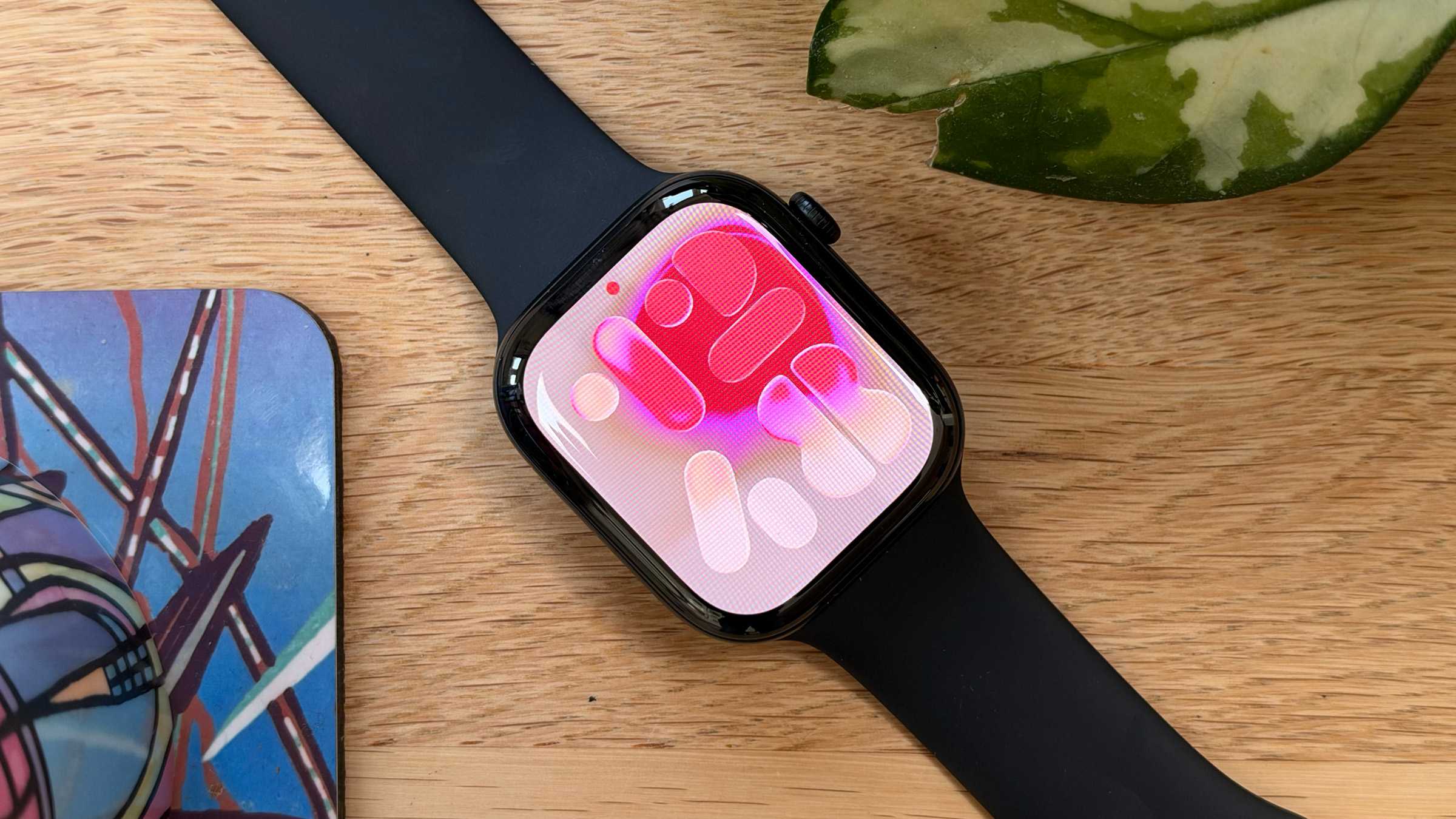
The lack of a new Apple Watch SE leaves the field clear, but Apple’s solid mid-market smartwatch fumbles the crown.
At a glance
Expert’s Rating
Pros
- Attractive, comfortable design
- New health sensor system
- Readiness app
- Generally strong battery life
- Minimal price rises
Cons
- Minor issues with build quality
- Several features missing at launch
- Felt slightly unresponsive at times
- Occasional involuntary resets
- Inconsistent battery and charging
Our Verdict
The Series 12 looks great and feels comfortable on the wrist, the interface is easy to use, and it delivers the best health and fitness insights of any Apple product to date. But there are too many missteps: inconsistent battery life and charging speed, moments of sluggishness, and unspecified delays to two flagship new features. Not bad. But could do better.
Price When Reviewed
This value will show the geolocated pricing text for product undefined
Best Pricing Today
Price When Reviewed
$399
Best Prices Today: Apple Watch Series 12 (42mm)
Unveiled alongside new iPhones and AirPods at Apple’s Surprise and Shine press event in early September, the Apple Watch Series 12 is the latest and would hope to be the greatest entry in the company’s long line of smartwatches.
Last year’s excellent Series 11 already dominated the premium smartwatch market with ease. To that device’s list of qualities, the Series 12 adds upgraded health sensors, a new app, compelling AI-powered audio features, a more powerful processor, improved fast-charge capabilities, and some lovely new materials and color finishes. It even manages, against all odds, to keep the same starting price as its predecessor amid a torrent of price increases elsewhere.
With Apple refusing to update the mighty Apple Watch SE, the field seems clear for the Series 12 to slot in as the best Apple Watch, and therefore as the best smartwatch on the market. But life is rarely that simple. I spent two weeks with the Apple Watch Series 12, testing and evaluating its design, features, battery performance, and more, all so we can bring you thorough, expert buying advice. Is this the smartwatch for you? Read on to find out.
(For broader advice, check our guide to the best Apple Watch in 2026.)
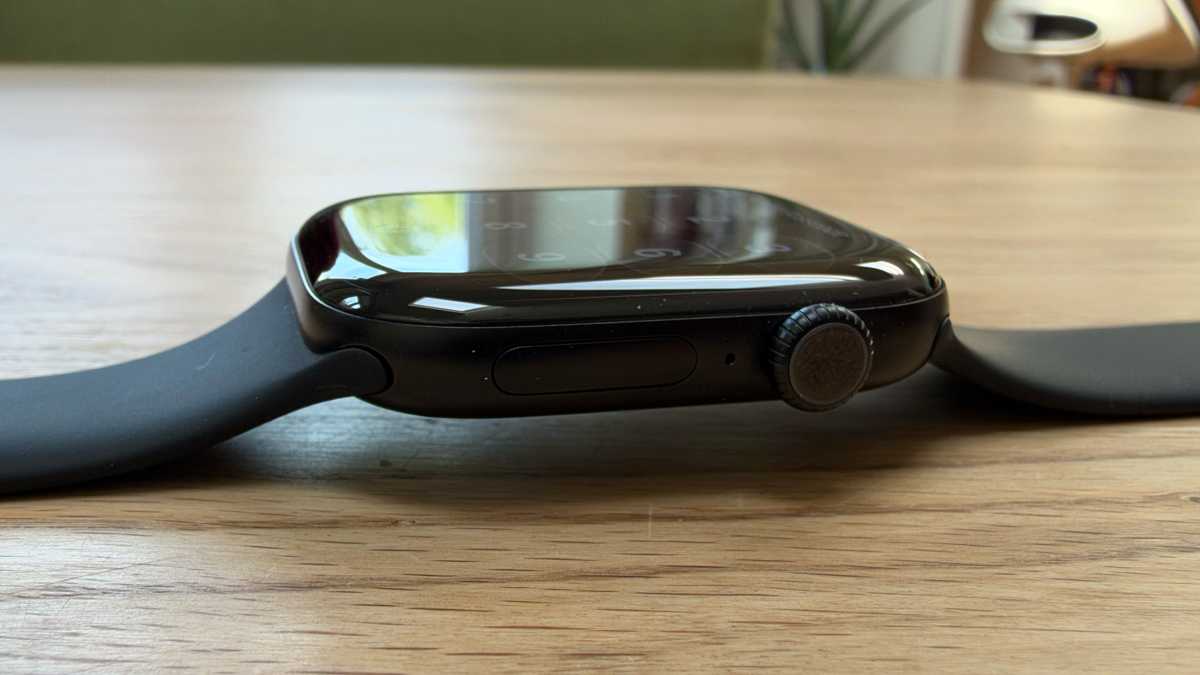
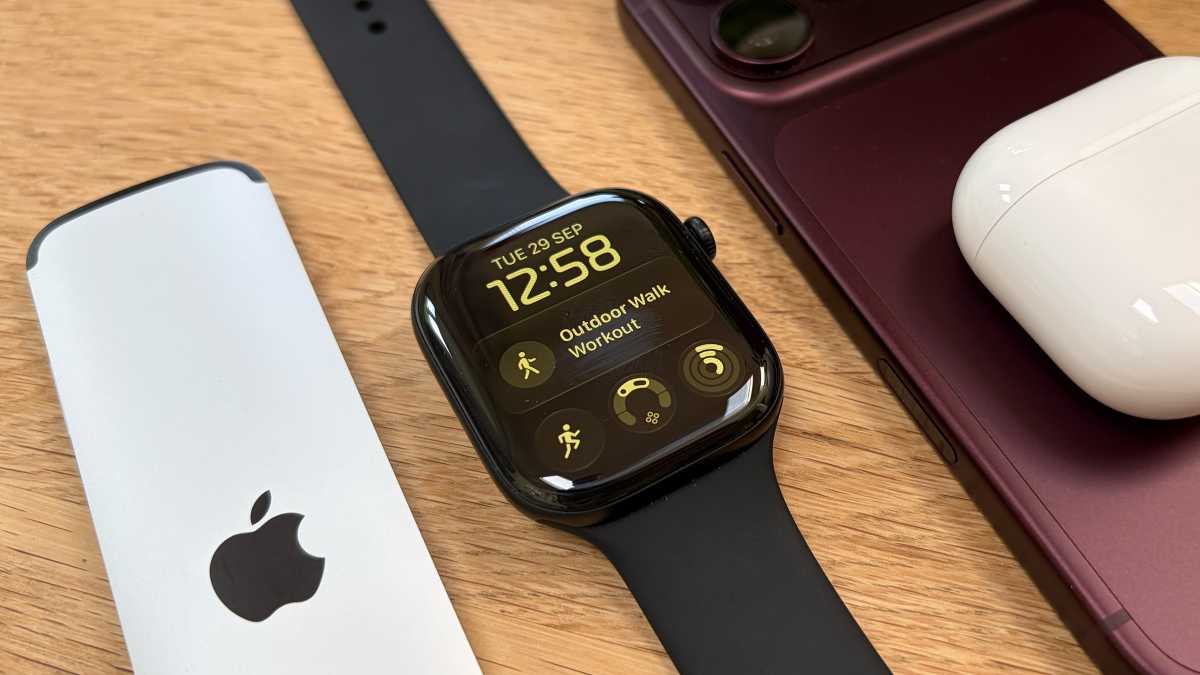
As I’ve pointed out in a separate article, the Apple Watch design didn’t change in any fundamental ways this year. It’s the same shape, the same dimensions, the same buttons. Which isn’t necessarily a bad thing, because Apple’s design is a modern classic: a sleek and slimline chassis which feels unobtrusive on the wrist and is intuitive to use. The fundamentals were built to last.
David Price / Foundry
There’s one non-visible change, which is that the aluminum models get a screen upgrade from Ion-X glass to Ceramic Shield 2 that Apple says is 60 percent tougher. (The more expensive models remain on Sapphire crystal, an even more scratch-resistant material, but one which is more vulnerable to drop impacts–not that drops should be much of an issue for a smartwatch.) That’s not an easy claim to test, and I can’t say I noticed a difference from the previous generation, but it’s a nice bonus in terms of peace of mind.
And then there are the strictly cosmetic differences. But these are absolutely worth mentioning, partly because the Apple Watch is to some degree a fashion accessory, and partly because they’re so great.
The returning ceramic material, for example, looks fantastic in both Pearly White and Night Blue. You’ll have to pay a premium for that option, which starts at $899/£849, so a better bet may be to stick with the cheapest aluminum case material, but pick the new and stunning Dark Bronze finish. Macworld’s review unit is a very smart black unit, but I’ve experienced serious Bronze envy. If you prefer the titanium case, consider the new Radiant Gold finish, which has a gorgeous shine to it. There are lots of opportunities, in other words, to grab a beautiful finish and simultaneously show off that you’ve got the latest model. Maybe the long-awaited design will finally arrive next year (or maybe it’ll be delayed yet again), but in the meantime these surface-level changes are fun and fresh.

Apple
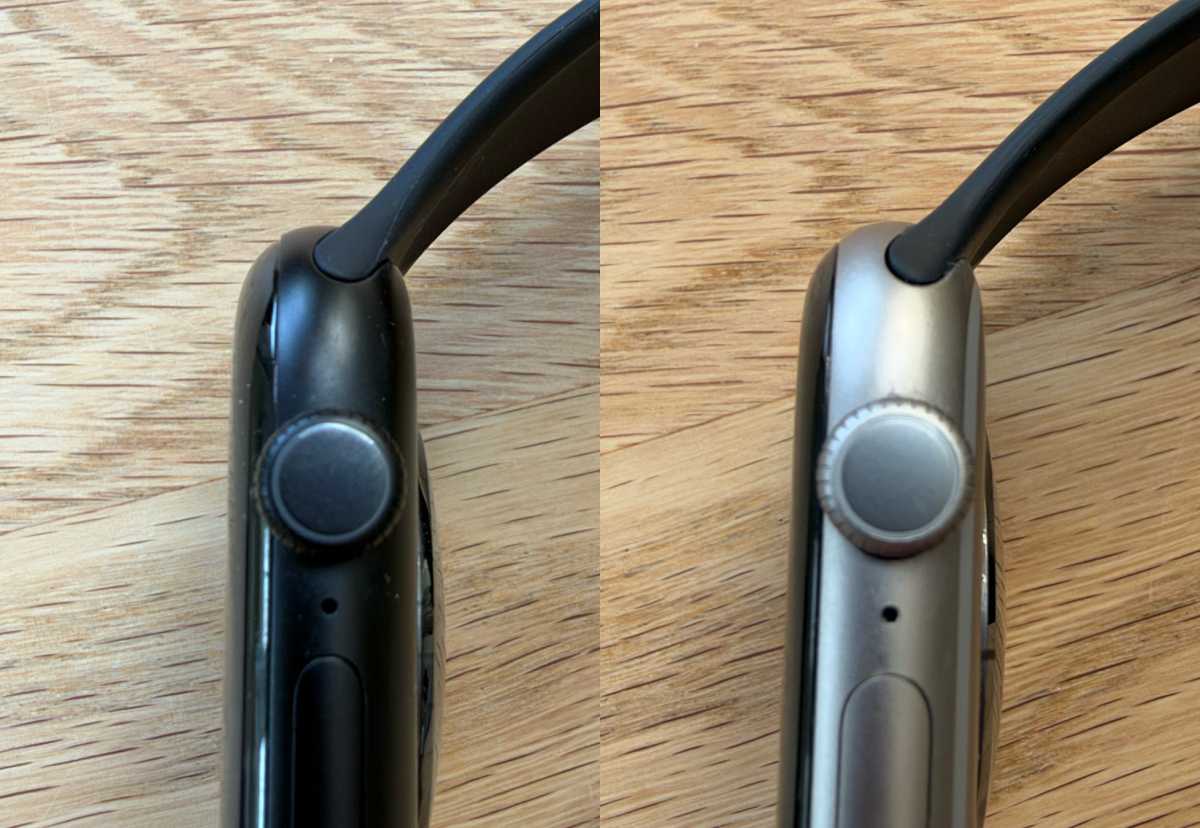
I will raise one quibble concerning the build quality of this generation: the assembly of my Series 12 review sample doesn’t appear quite as flawless as I’ve come to expect from this product line. When I run a finger across the face and on to the surrounding bezel, I can feel a sharp edge where one material gives way to another. For comparison, I immediately checked my two older Apple Watches and found that the SE 3 had a slight edge, but it was less noticeable than the Series 12, while the Series 11 had almost no detectable edge at all.
I don’t know if this is significant–the result of cost cutting, a change in manufacturing tolerances, or some other systemic factor–or if I just got unlucky and received a slightly defective unit. (If it’s the latter, my colleague Mahmoud Itani also got unlucky. He reports the same issue.) I would also like to stress that this is a very minor quibble that doesn’t particularly bother me: When I say sharp, I mean only that it’s hard and sudden, not that there’s any danger of cutting yourself on it. But it’s very unusual to come across imperfections like this when reviewing an Apple product, and not entirely reassuring as an omen of things to come.
David Price / Foundry
Apple Watch Series 12 performance
It isn’t normally necessary to delve too deep into the tech specs when reviewing a smartwatch. The Series 12 has 64GB of storage, for example, but that’s unlikely to have much of an effect on your day-to-day experience. Its screen has the same number of pixels as on the previous two generations, and the pixel density hasn’t changed since the Series 4; Apple long ago reached a level of sharpness that was adequate for the job and hasn’t bothered changing it since. And while the RAM allocation is unofficially understood to have doubled from 2GB to 4GB this year, you wouldn’t know it from Apple’s published spec sheet or general performance.
One item on the spec sheet that does seem significant, however, is the new S11 processor. Not because the Apple Watch needed more processing power when handling apps; unless you own something really old, it’s unlikely you’re running into major bottlenecks in this area. But because of the new things it allows the Series 12 to do.
Inevitably, AI is a major part of this equation. While older watches dating back to the Series 9 are retrospectively compatible with Siri AI, the Series 12 is the best equipped to handle its demands. And only the Series 12 gets access to the new suite of AI-powered Audio Intelligence features, which I’ll discuss in the next section. These, Apple says, are wholly dependent on the S11 chip and specifically its Secure Enclave.
The S11 chip’s power and sophistication should also help with battery performance, something that could prove vital given the inclusion of continuous heart-rate monitoring and the power demands of this feature. (Battery life too will be discussed later in this review.) And Apple says the accuracy of the health sensors themselves is indebted to the capabilities of the S11.
If you’re looking for a general speed boost, however, my experience suggests this isn’t the watch for you. I can’t remember ever finding my Series 11 or my SE 3 sluggish (both have the S10 chip), so it’s hard to see that there was much room for improvement. But worse, from time to time I got the impression that the Series 12 is slower than those models. It’s difficult to be scientific without a benchmarking app, but here are a few subjective examples that gave me a bad feeling about the Series 12’s speed and responsiveness:
- Shazam on the watch (triggered manually) once “thought” for so long that the song ended with no information given.
- On one occasion, I walked for a full hour and the watch never recognized I was active or suggested a workout.
- I went into Activity to check my steps, and it was still showing an old count from an hour previously. It took 10 to 15 seconds to update this, while I watched impatiently.
- On another occasion, the watch didn’t offer me a sleep score until 10.25 am, long after I woke up (and after I’d done a full workout, absurdly).
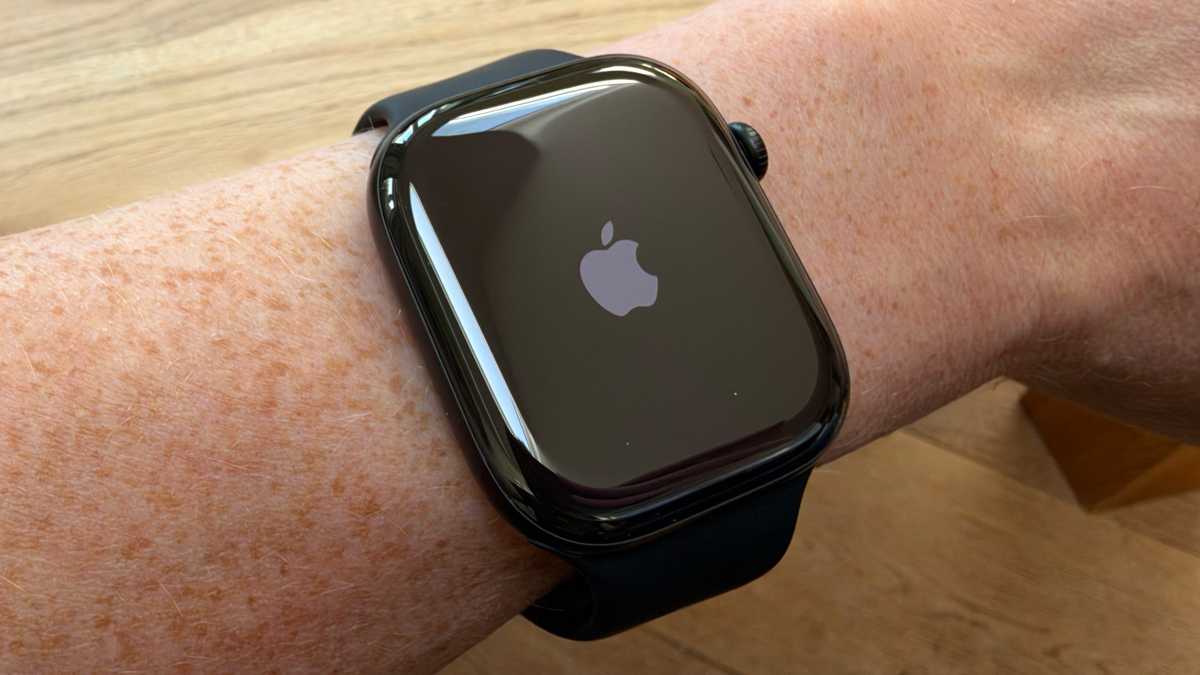
- Most irritatingly, three times on a single day, my Series 12 spontaneously reset without being asked.
David Price / Foundry
There may be explanations for some or all of these annoyances. For example, perhaps Shazam suffered from a poor internet connection rather than a lack of processing muscle (although my iPhone was doing fine at the time), and perhaps I failed to trigger a suggested workout because I was walking slower than usual. It’s also been reported that the watchOS 27.0.1 update has solved the rebooting issue.
But still, I’ve been using one Apple Watch or another nearly every day for well over a decade now, and I can tell you with confidence that I’ve grown to expect better. Whether it’s down to issues with current iterations of watchOS, or processing resources being diverted to new features, my Series 12 simply gives me the subjective vibe of being a little less responsive, a little less reliable, than other Apple Watches I’ve used in the recent past. Which isn’t what you want, or expect, from a device with a powerful new chip.
Apple Watch Series 12 features
With design largely staying the same and tech specs having little impact on the user experience, the burden of convincing customers to upgrade falls heavily on the feature set. On the positive side, this expands in several promising ways this year. The only problem is that quite a few of the new features aren’t actually ready yet.
Take Audio Intelligence, the suite of features loosely grouped under the themes of AI and sound. There are four of these: Sound Recognition, Music Recognition, Live Rewind, and Siri Recap. The latter two, which incidentally are by far the most interesting of the set, aren’t currently available, and Apple hasn’t even named a date for their launch. The support document says only that they “will be available in beta later this year, starting with English.”
The morality of this sort of thing is debatable, to say the least. Unsurprisingly, since they’re so futuristic and feel so useful (even if there are privacy and general AI ickiness concerns to be navigated), Live Rewind and Siri Recap were both prominent in the launch presentation. So on some level Apple was hoping to convince people to buy the new devices on the strength of these features, without being prepared to say when the features will arrive. We’ve been here before, and Apple has the legal bills to show for it; hopefully its experience in that case will ensure relatively prompt delivery in this one.
David Price / Foundry
But back to the features themselves. Here are my thoughts:
Sound Recognition
As long ago as iOS 14, the iPhone was able to identify certain sounds–doorbells, smoke alarms, crying babies–and then notify you if it heard them. It’s a feature with enormous, even life-saving potential for those who are deaf or hard of hearing. This year the feature comes to the Apple Watch, so it won’t matter if you accidentally leave your phone upstairs.
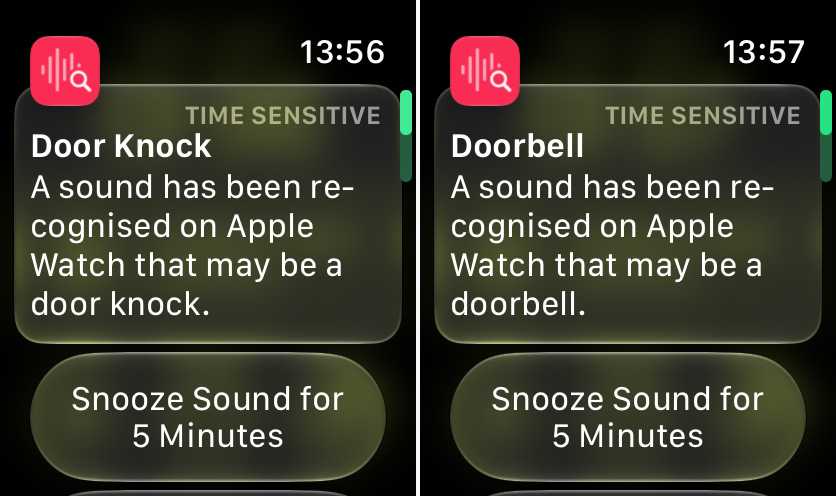
It’s simple, useful, and appears reliable: in each of my tests there was a brief delay of perhaps three seconds after the sound, and then a notification appeared.
I tested for doorbell, door knock, cat, dog, running water, breaking glass, car horn, and crying baby. The feature detected all of these with virtually 100 percent accuracy when it heard them. Smoke alarm and fire alarm were initially less reliable when I tested them using YouTube videos, which might seem very bad… until it occurred to me that an extremely high volume was probably part of the algorithm. When I used the testing button on an actual smoke alarm, it got a lot more accurate. After these tests, I’m happy to say that Sound Recognition can reliably detect all the sounds it says it can.
But on the other hand there were false positives, and quite a lot of them. Over the course of testing, the watch has mistakenly identified (non-doorbell) sound effects in various TV shows and YouTube videos as a doorbell, or heard me tapping a spoon on a pan to get off the last of the pasta sauce, for example, and interpreted this as a door knock. It surprisingly frequently thinks there’s a dog nearby (but very rarely a cat, for some reason) and has more than once alarmed me by claiming to hear broken glass when I’m only putting away crockery.
So it’s a clever and quite impressive feature in many ways, but expect some false alarms and unwanted notifications. I strongly advise users to only turn on the specific sounds they absolutely need to be able to detect.
Note that the feature is off by default; you need to go into Settings on your iPhone, go to Accessibility > Sound & Name Recognition > Sound Recognition, turn on Sound Recognition, and finally turn on Detect using Apple Watch.
David Price / Foundry
Music Recognition
This effectively changes Shazam from an actively triggered to a passive background function. The watch is continually listening out for music and will surface the information in the Smart Stack when it recognises it. (To turn this on, go into Settings on the watch, select Smart Stack, and then turn on Music Detection.)
Given my issues with Shazam being slow when manually triggered (see the previous section), and the risk of running out of song before it reaches a conclusion, this is handy. It isn’t quite instantaneous: when I bring up Smart Stack, it generally takes a couple of seconds for the Shazam widget to appear, or to refresh from the last song it recognised. But it’s much quicker and more reliable than when using that app manually, thanks to the information it harvests before you ask. Thumbs up.
Live Rewind
Now we get into the really interesting features… and also, sadly, the ones which aren’t available yet. The remaining Audio Intelligence features continue the theme of background listening, but add the faintly creepy twist that they’re monitoring your conversations.
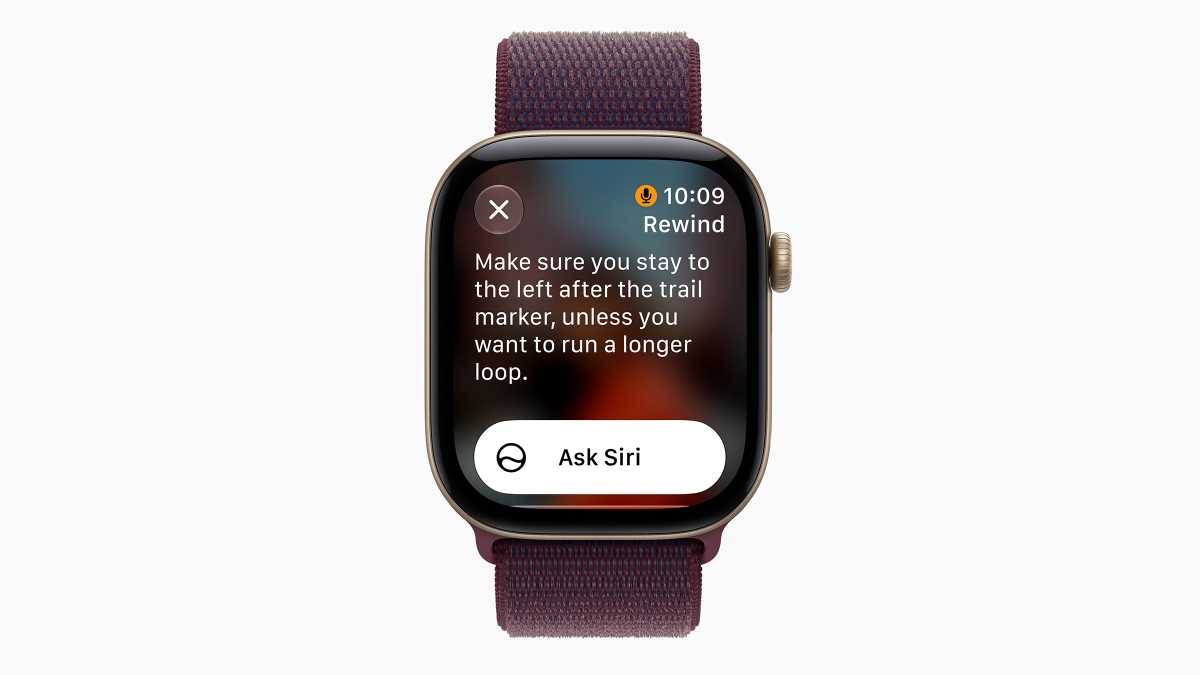
Live Rewind is the simpler of the two. At any time (once it launches), you can double-press the Digital Crown, and it will display a transcript of the last 15 seconds. Very useful, presumably, if you struggle to remember all the specials and don’t want to ask the server to repeat themselves. Less effective if you’re trying to remember the start of a lengthy joke or anecdote.
Apple is aware of the privacy implications, and there are plenty of safeguards. The limited length of the transcription is one. Another is the effort to make sure people nearby are aware of what you’re doing: this is achieved via a trigger sound that can’t be silenced, an on-screen animation, and that hopefully recognisable double-press action. It also isn’t continuously recording. Only snippets that are called up and then expressly saved to the Siri app will be kept.
I really like the sound of this feature (particularly the relative lack of “AI-ness”), but I wish Apple would have delayed the announcement until it was actually ready.
Apple
Siri Recap
This one’s a little more involved and a little more reliant on AI. Siri Recap listens in the background and makes notes on your conversations, which it will later summarise. The idea appears to be that you schedule or geofence the feature so it’s only listening when you’re at work, for example, or you can just turn it on and off manually. Or, I suppose, have it on all the time, but prepare for your friends and loved ones to be annoyed when they find out.
Bearing in mind the disastrous notification summaries we occasionally saw in the early days of Apple Intelligence, I will defer my thoughts on this until I can test its reliability.
New health sensors
Away from Audio Intelligence, the Series 12’s remaining headline new features return to the familiar worlds of health and fitness. Most notably, we have an entirely new “health sensing system” with a 2nd-gen electrical heart sensor.
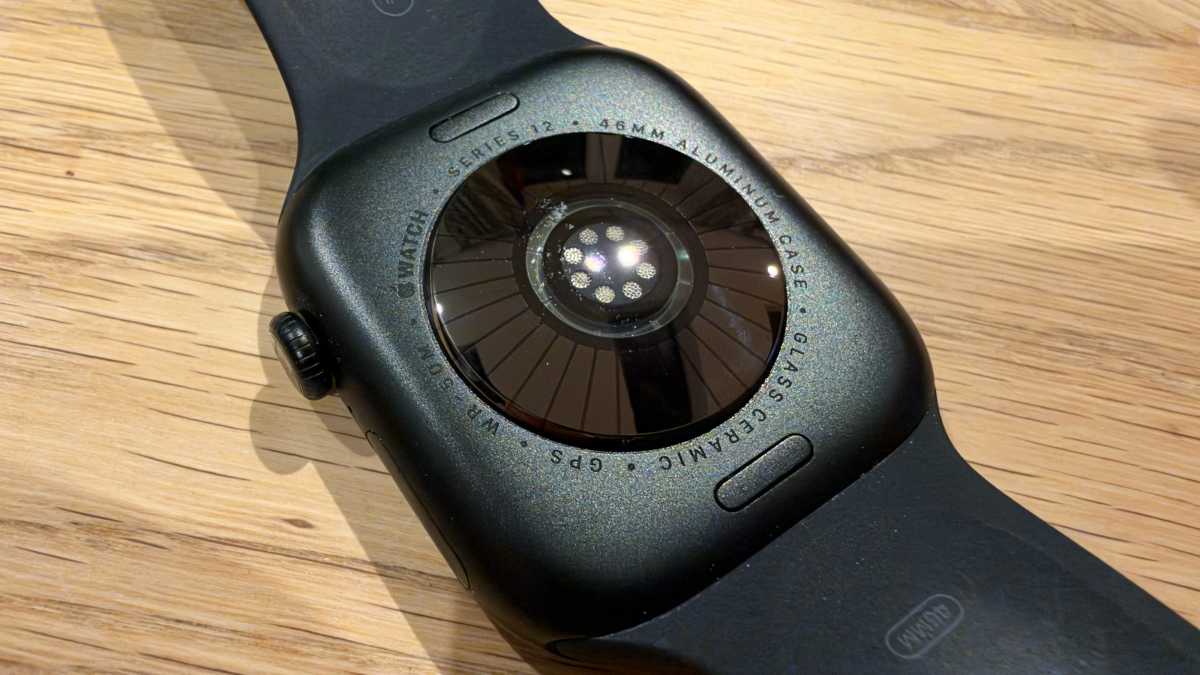
Apple says the new sensor ensures better contact with the skin, and features redesigned photodiodes and larger, power-efficient green LEDs. It should therefore take more accurate readings. But it also takes, well, more readings. Whereas previous Apple Watch models measured the user’s heart rate on demand, during workouts, and every few minutes at other times, the Series 12 just does it constantly. Every five seconds, all day long, to what should be a high degree of accuracy.
David Price / Foundry
This may not seem like a big deal, because you may feel that any time you want to know your heart rate, you can ask for it. But firstly, this is a much more convenient way of accessing that information: there’s a new watch face complication for heart rate, so now you just need to glance down, and the number is right there. And more importantly, having access to heart-rate data all the time enables the Series 12 to reach more informed conclusions about the state of your health, your fitness, and even your stress levels.
The new sensor system also features a greater emphasis on HRV (or heart rate variability), a metric which doctors find useful in assessing heart health and physical recovery, and in diagnosing problems with sleep, stress, diet, and more. HRV was measured previously, but on the Series 12 is measured 24 times as often and is displayed in a new section of the Heart Rate app. But again, this is more likely to be useful in the way it feeds into broader insights surfaced in the Health app than in servicing the user’s sudden curiosity to know the number.
Readiness
The last new feature I want to talk about is the Readiness app. This is designed to distill a wide variety of health, sleep, HRV, and other metrics down into a single, easily comprehensible score out of 10 that indicates how ready your body is for an exercise session.
When I open the app now, for instance, it gives the verdict “9: Go For It.” When I scroll down, it expands on this to explain that my high sleep score from last night and my generally lower activity levels in recent days mean today is a great day to push hard.
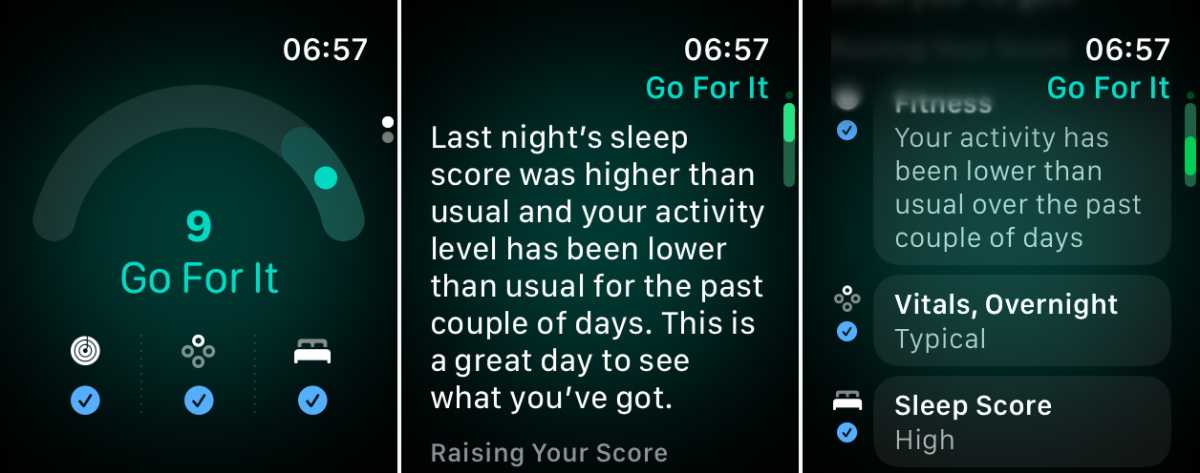
David Price / Foundry
As ever, I like simplicity. The Apple Watch Series 12 has access to an enormous quantity of health data, but to the non-scientific layperson like myself, most of it is pretty close to incomprehensible. Boiling it down in this way makes it useful. There’s something I can do with that score.
And while this will doubtless vary from person to person, I can say that physical readiness for exercise is something I worry about a lot. As a fitness enthusiast in early middle age with an increasingly fragile body, I want to push the limits, but I don’t want to exceed them and end up with an injury or illness. Having the green light from Readiness will give me a great deal more confidence in the gym.
Note that Readiness needs a surprising amount of time to get ready: you need to wear it to bed for at least seven nights before it’s prepared to start delivering those verdicts. That’s fairly standard for such devices, and a Whoop or Fitbit will make similar demands for similar features. But I found it mildly frustrating that up to this point the app insisted on its main screen that there was “No Data,” even though scrolling down indicated that there was a great deal… just not yet enough. It might seem like a small quibble, but this seems a counterintuitive or even misleading way to handle setup.
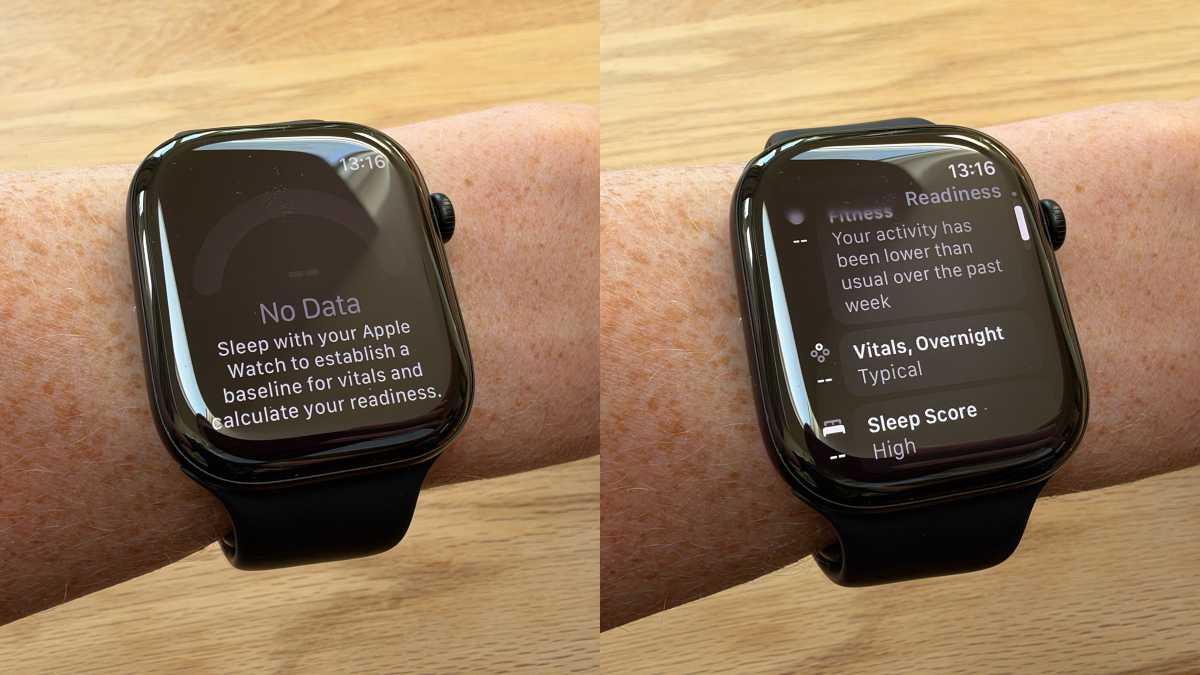
David Price / Foundry
The Readiness app, I’m happy to say, is available now. But wider integration of its findings will have to wait until the iOS 27.2 update, when the iPhone will get a redesigned version of the Health app. That will (among a lot of other new features) include a Readiness tab and the ability to look at Readiness data on your phone. iOS 27.2 should be here soon, and may even have arrived when you read this review; you can read more about the update here.
Apple Watch Series 12 battery
Officially the headline battery life hasn’t changed since last year: the estimate, as on the Series 11, remains “up to 24 hours.” (That, incidentally, was a big and surprising jump from the 18 hours which had been claimed for all ten previous Series models.) Our tests, however, indicate that this drastically underestimates what you can expect in typical daily usage. Whether longevity has improved or degraded from the previous generation is harder to say, since performance was wildly inconsistent.
The Series 11 was nice and steady. In each test, it lasted two days and two nights before expiring early on the morning of the third day: it managed 46 and 49 hours respectively for an average of 47.5 hours. In my review, I described that performance as superb, and I stand by that assessment.
The Series 12 did even better on its first run, making it to 10 am on the third day, for a total of 51 hours. I was rather blown away by this, especially bearing in mind the new inclusion of continual background heart-rate monitoring, which one might expect to have an impact on battery performance.
But then I ran a second test, and the Series 12 barely made it to bedtime on the second day, dying shortly after 11 pm: that’s a comparatively feeble 40 hours, and gives an average across the two runs of 45.5 hours. Leading to the conclusion that a) the Series 12 has slightly weaker battery performance than its predecessor on average and b) it’s also far, far less consistent in this department.
A degree of inconsistency is to be expected, because smartwatch battery tests are not an exact science; there’s no established benchmark we can use to directly compare devices. The precise time your Series 12 lasts will depend on what you do with it. (And it will obviously degrade over time.) The lit-up screen is obviously more of a power draw than the dimmed always-on version, and any active app usage will drain the battery quicker than having it run passively.
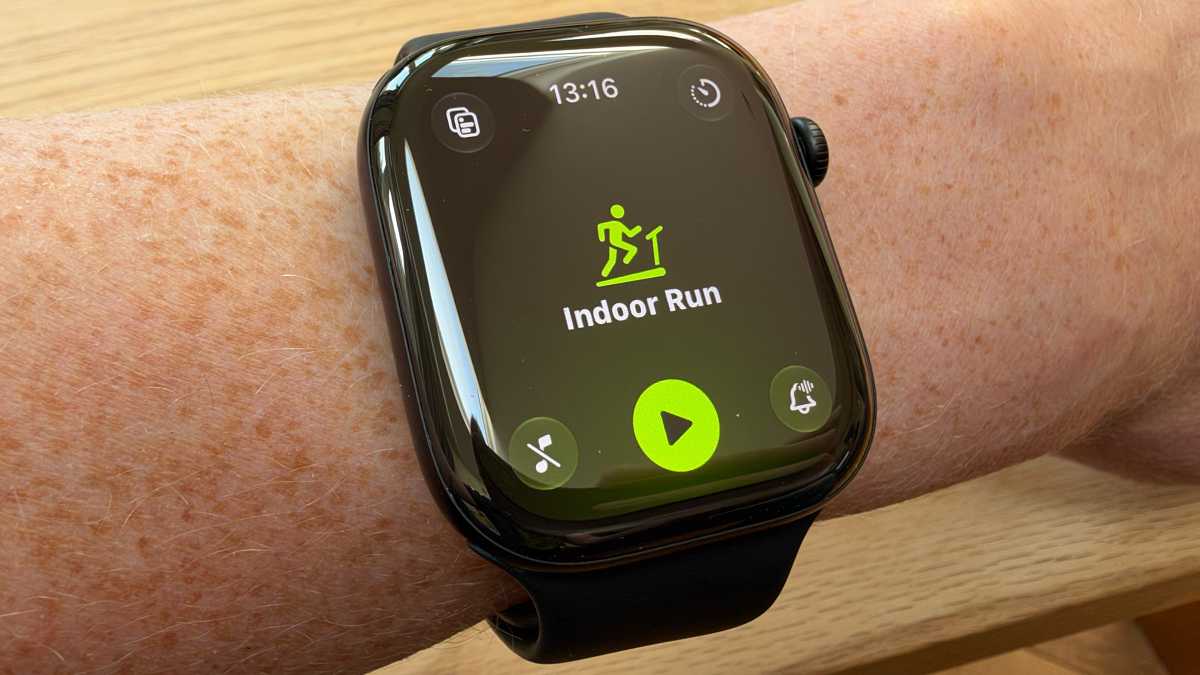
In the past, Workout has typically been one of the bigger battery sappers. It doesn’t seem especially worrisome these days: a 30-minute run on the treadmill with the companion iPhone nearby resulted in the Series 12 dropping from 99 percent to 97 percent, which isn’t too bad. But I will note that the second test, the one which fell so disastrously short of our expectations (while surpassing Apple’s, to be fair), included two longish walks with Workout in operation. That may have been a factor, although it could hardly be to blame for such a huge disparity.
While we’re on the topic, incidentally, Apple claims it has added some battery improvements specific to exercise sessions. Based on tests without an iPhone nearby, the company estimates that the Series 12 will last for 10 hours of outdoor workouts, which is a claimed 25 percent increase on the previous generation. If you plan to do a lot of ultramarathons, you may be better off with the new Apple Watch Ultra 4, which the company says is good for 18 hours of outdoor workouts, 25 hours with the new Extended Workout mode, and up to 45 hours with Max Extended Workout mode. (These modes are not available on the Series 12.)
David Price / Foundry
Fast-charging
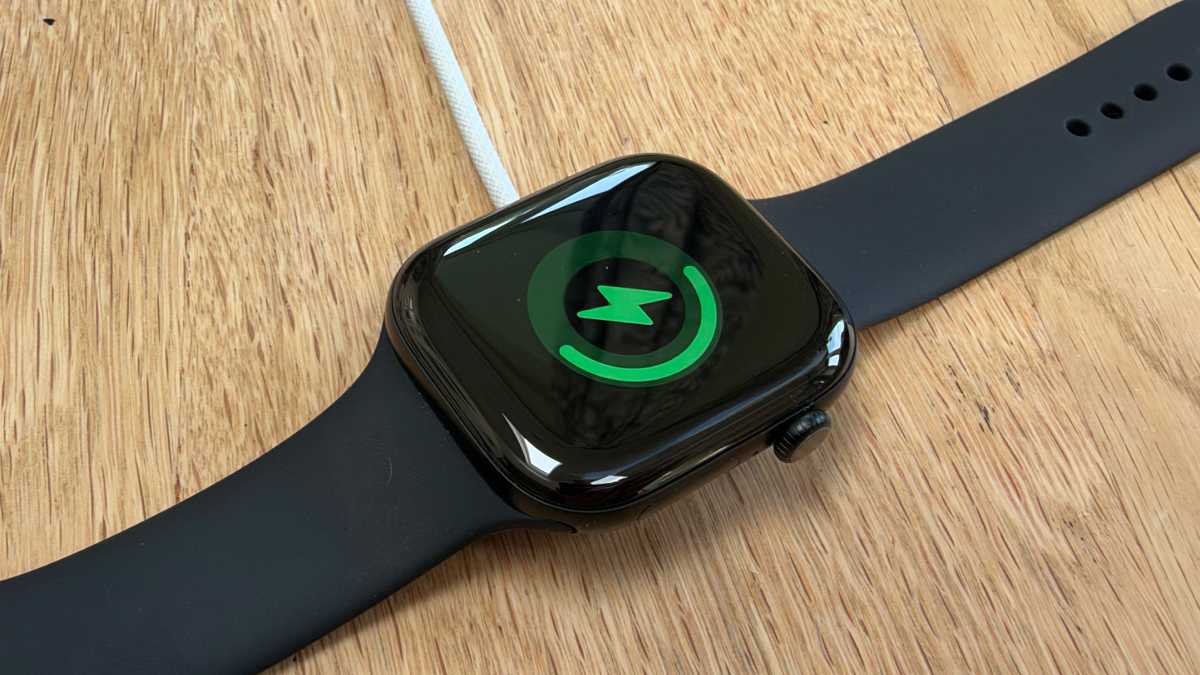
Once the battery is drained, you’ll be able to top it up quickly… but maybe not quite as quickly as Apple thinks. The company says you can get from 0 to 80 percent with 30 minutes of fast-charging, but our tests suggest this is rather optimistic. Although, again, performance was frustratingly inconsistent.
Using the bundled charging puck and a big 67W power adapter, my Series 12 made it to just 58 percent in the assigned half hour, and took almost an hour to get to 80 percent. It was fully charged after 82 minutes. I repeated the test a few days later, and this time it went from 0 to 72 percent in half an hour (and was fully charged after 63 minutes). Those are wildly different results.
I compared notes with a colleague from Macwelt, who reported yet another result: their Series 12 managed 62 percent in half an hour. So with 30 minutes of charging (and a compatible and sufficiently powerful charger, of course) you can expect to boost your Series 12 from 0 to 58 percent, 62 percent, 72 percent, or some other number entirely. But don’t expect to make it to 80 percent, unless you’ve got access to the same mysterious super-chargers as Apple’s research team.
Those same Apple researchers claim that, if you’re pushed for time, 15 minutes of charging will get you enough power for 12 hours of normal use, which is an improvement on the 8 hours claimed for the Series 11. And in a real emergency, 5 minutes of charging just before bed should be enough for 10 hours of sleep tracking. My advice would be to take these claims with a pinch of salt.
David Price / Foundry
Apple Watch Series 12 price
The Series 12 starts at $399 if you plump for the smaller size and can manage without cellular. That’s the same price as the cheapest Series 11 model at launch last fall (the Series 11 is no longer available), which is a pleasant surprise: Apple raised the prices of its Macs, iPads, and iPhones this year in response to the global RAM shortage, so we were expecting something similar for the Apple Watch. Instead, it retains the same entry-level pricing.
It’s not all good news, as the larger 46mm versions of the Series 12 are a little more expensive than their equivalents in 2025. But these are mercifully small increases, compared with the carnage elsewhere.
- Apple Watch Series 12 (42mm, GPS): From $399/£369
- Apple Watch Series 12 (42mm, GPS + cellular): From $499/£469
- Apple Watch Series 12 (46mm, GPS): From $449/£419
- Apple Watch Series 12 (46mm, GPS + cellular): From $549/£519
Here’s the (surprisingly similar) pricing as of fall 2025:
- Apple Watch Series 11 (42mm, GPS): From $399/£369
- Apple Watch Series 11 (42mm, GPS + cellular): From $499/£469
- Apple Watch Series 11 (46mm, GPS): From $429/£399
- Apple Watch Series 11 (46mm, GPS + cellular): From $529/£499
David Price / Foundry
Should you buy the Apple Watch Series 12?
The Series 12 certainly isn’t a bad smartwatch. It looks great and feels comfortable on the wrist; the interface is easy to use; it has solid and at times exceptional battery life; and the latest upgrades mean it delivers the most accurate health and fitness data collection and analysis of any Apple product to date. I love the new Readiness app (a great concept, straightforwardly executed), and was very pleasantly surprised not to see a hefty price hike. There are many things to be cheerful about.
But compared to the achievements of the last generation, the excellent Series 11 and the outstanding SE 3 (what a shame we didn’t get an SE 4 this year, by the way), I can’t help feeling disappointed. The Series 12’s battery life and charging speed, while strong in isolation, are far less consistent than those of its predecessors, which means you can’t rely on a given level of performance when it really matters. There were uncharacteristic annoyances: a minor imperfection in the assembly, moments of sluggishness, repeated spontaneous resets. And most annoying of all, the product was launched with two of its flagship new features and full platform-wide integration of a third yet to launch to the public.
I feel like the teacher of a clever pupil who’s had a bad semester. Not bad. But I expected better.
