



Yalcin Sonat/Shutterstock
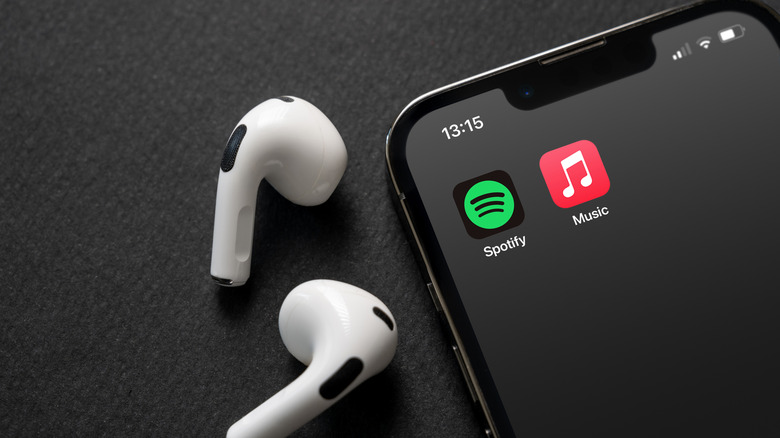
Apple Music is one of the five Spotify alternatives that users swear by. It also happens to come preinstalled on Apple devices, including iPhones, and it’s one of the rare Apple services that’s also available on Android. This makes Apple Music one of the most important Spotify alternatives users should consider. Apple Music has several advantages over Spotify that some consumers may appreciate, including lower prices for paid plans. On top of that, Apple Music may appeal to users who want a music-only app rather than the all-in-one service that Spotify is with podcasts and even video shows. Also, Apple Music may have a more visually striking design, especially on Apple devices.
But more importantly, Apple Music has several advantages over Spotify when it comes to the music listening experience itself. Apple offers higher-quality music encoding, which music enthusiasts may seek in a music streaming app, especially if they invest in higher-end headphones, speakers, and sound systems. Apple Music also comes with support for classical music in a dedicated app, which may appeal to a specific set of consumers. Also important is the built-in support for uploading personal music collections in the Apple Music library, something consumers who own extensive collections of music will appreciate, especially if their favorite tracks aren’t available on either Apple Music or Spotify.
Finally, there’s the privacy aspect to take into account. While Apple will collect user data from Apple Music interactions, Apple is widely known for its strong privacy protections built into its hardware and software products. On the other hand, Spotify has to collect user data for more than music algorithms, as the Swedish streamer offers an ad-based free tier.
1. Pricing
Apple Music doesn’t offer a free tier, but that is Apple’s only pricing disadvantage compared with Spotify. Take privacy matters into account, and Spotify’s ad-based free streaming experience turns into a disadvantage. Even if being tracked for ad purposes isn’t an issue for you, the Spotify free tier comes with certain restrictions, including the inability to save songs for offline playback, the lack of lossless music support, and the more limited music playback control (Smart Shuffle is always active on mobile devices).
When it comes to ad-free plans, Apple Music generally wins. An individual Apple Music subscription costs $11.99 per month, with new users eligible for a three-month deal for $1.99. Some new Apple devices even come with three months of free Apple Music access. By comparison, the Spotify individual Premium plan costs $12.99 per month after a three-month free trial period. Both streaming services charge $6.99 for student plans, but the Apple Music plan comes with free Apple TV access while Spotify offers Hulu access. Finally, Apple Music Family costs $19.99 per month, after three months of access for $4.99, covering up to six users. Spotify charges $21.99 per month for its six-person Family plan.
But Apple has an even better Apple Music offer that Spotify simply can’t match. The Apple One bundle includes subscriptions for iCloud+, Apple Music, Apple TV, and Apple Arcade, and it’s priced at $19.95 or $27.95 per month (Individual or Family). A $39.95 per month Apple One Premier family plan adds Apple Fitness+ and Apple News+ to the bundle. Users who are heavily invested in Apple’s ecosystem would save money by choosing an Apple One bundle, which includes Apple Music streaming at all tiers. Spotify Premium comes in a Duo version for two users, which costs $18.99 per month. Android users would pay the same Apple Music subscription fees as iPhone users, though they can’t take advantage of Apple One deals.
2. Music quality

Laylabird/Getty Images
Apple Music offers the same high-end music streaming quality on both iPhone and Android. Apple supports lossless music streaming in Apple Music thanks to its proprietary Apple Lossless Audio Codec (ALAC) technology. An Apple support document explains that most of the Apple Music catalog, which contains over 100 million songs, is encoded in both AAC and ALAC, which means Apple Music is available in audio resolutions that range from CD quality (16-bit/44.1 kHz) up to 24-bit/192 kHz. Lossless music playback requires wired headphones and speakers, or an external converter on both iPhone and Android. The iPhone’s built-in speakers also support lossless playback. Spotify’s lossless quality only goes up to 24-bit/44.1 kHz, which makes Apple Music the better choice.
In addition to lossless support, Apple Music also offers users Spatial Audio (Dolby Atmos) songs, which can be enabled manually in the Settings app. Spatial Audio works with AirPods and Beats Bluetooth earphones, though other headphones and even some cars can support Spatial Audio.
3. Easy access to your music
Nwz/Shutterstock
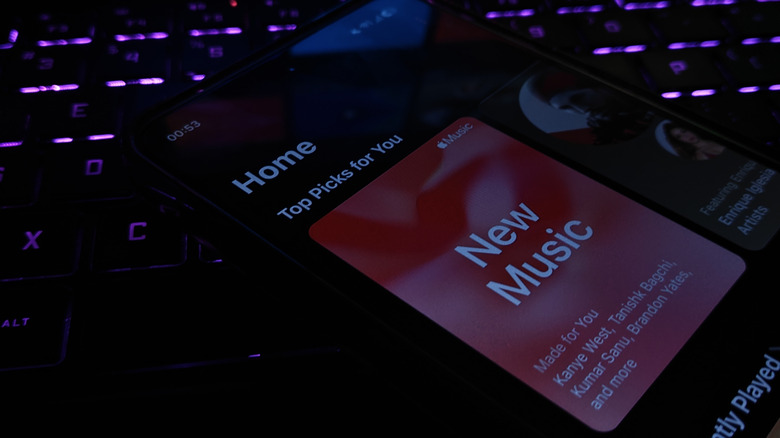
Both Spotify and Apple Music say they offer users access to over 100 million songs each. That makes it very likely that your favorite artists and tracks can be easily found on either platform. It’s also likely that new releases will be available on both platforms, though some differences may exist. Apple Music may make it easier for users to access their favorite music in different scenarios. Users can easily transfer from a competing service, and they can sync their personal music collection.
Apple’s music transfer tool allows you to transfer your existing playlists and saved music. That makes it extremely easy to test Apple Music and compare it to your existing music streaming service, whether it’s Spotify or something else. The tool is especially interesting considering Apple’s current deals. You can use Apple Music for just $1.99 for three months of access, and bring over all your favorites from your current streaming service. All you have to do is go to your account in Apple Music and look for the Transfer Music from Other Music Services option. This will help you move songs, albums, and playlists from the supported services. The feature can also help you move your favorites to a Favorite Songs playlist in Apple Music.
Apple Music subscribers can also sync their iCloud Music Library, which includes songs they might own from services other than the iTunes Store, and access it across devices. Apple Music will automatically match songs from your library, and add the ones that aren’t available. Users can upload up to 100,000 songs to Apple Music. Spotify supports a similar feature, which is called Local Files and requires users to keep their library locally, on the device. This might be less convenient than Apple’s tool.
4. App design and the nice-to-have features
Apple Music only offers users access to music, while Spotify also includes podcasts, audiobooks, video experiences, and even fitness videos in the Spotify app. Therefore, the Spotify app design can be a disadvantage for users who only want to focus on music while using a music streaming app. The Apple Music design offers a consistent music-centric experience regardless of what menu you’re in. Also, Apple uses a design language in Apple Music consistent with the rest of the operating system, whether it’s an iPhone, iPad, or Mac. The menu and button layouts will feel familiar, especially across apps that already support the Liquid Glass design. On top of that, Apple Music may offer better album cover experiences on the iPhone lock screen, as the app presents an animated cover instead of a static image like Spotify.
Apple Music also supports several quality-of-life features that consumers may enjoy. Support for classical music, announced in 2023, is available for both iPhone and Android users via the standalone Apple Music Classical app. Users can search the app for specific works, artists, and orchestras, making it easy to manage classical music playlists right inside the app. Access to classical music is covered by the regular Apple Music subscription.
Apple Music users will also discover that the app syncs with Shazam, Apple’s service for identifying music playing nearby. You can use Shazam from Control Center to identify a song, and you’ll be able to easily add it to your Apple Music library or a playlist. Apple Music Sing adds a karaoke experience to Apple Music, allowing users to quickly start a singalong directly from the song in view. Apple Music also shows song lyrics and offers translation and pronunciation support for foreign-language tracks.
5. Privacy
Like Spotify, Apple also tracks what users do inside its music streaming app to provide personalized music recommendations via an algorithm that takes into account what you’ve been listening to, what music tracks and artists you favor, how long you listen to songs, and at what times you listen to music. Apple Music may also derive location information from your IP, and may use location information to provide details about concerts. However, Apple will not share that data with other parties for ad purposes, since Apple Music doesn’t feature any third-party ads. The company will, however, share some music-related aggregated data with labels, artists, and marketing platforms.
Spotify collects user listening activity just like Apple. The data can include searches, playlists, streaming history, and browsing inside the app. But Spotify shares user data with partners for ad purposes, including personalization and measurement. Spotify can also receive information from advertising and marketing partners, and can run personalized ads on the platform. Spotify can also collect location data related to your IP, and precise location data if shared. Spotify can also collect data from user interactions with the built-in AI features available in the app that let users ask for playlists and songs.
It’s not just the Apple Music privacy policy that’s an advantage over Spotify. It’s Apple’s overall stance on user privacy. Apple offers strong privacy features for its hardware and software products that rivals may not match. For example, Apple makes it more difficult for companies to track users across the web, or access location information.
