


Christian de Looper/BGR
I’ve found Ecovacs’ high-end robotic vacuums to be at the top of the mountain for a few years now, with helpful new features added almost twice per year. For the Ecovacs Deebot X11 OmniCyclone, the upgrade came in the form of faster charging and higher suction power, along with a bag-free dustbin built into the dock. Now, Ecovacs is building on that base with the new Deebot X12 OmniCyclone, which looks much like the last model, but adds features to more effectively clean off stubborn, stuck-on stains.
To be clear, robovac manufacturers, including Ecovacs, have been putting more emphasis on mopping features in general recently. For a few years now, roller mops have offered the best mopping, with newer models getting more and more pressure power to push down on those tough stains. So, how does the X12 OmniCyclone improve on mopping even further? Well, it does so with a new system that actually sprays water onto dried spots before mopping them.
This is, of course, the first time Ecovacs has used a technology like this, and there’s no guarantee it’ll actually work. Plus, for $1,499, you don’t want to be a beta tester, which is why we’ve been putting the new model through its paces. How does the Ecovacs Deebot X12 OmniCyclone perform in the real world? I’ve been using it for a while now to find out.
Design
Christian de Looper/BGR
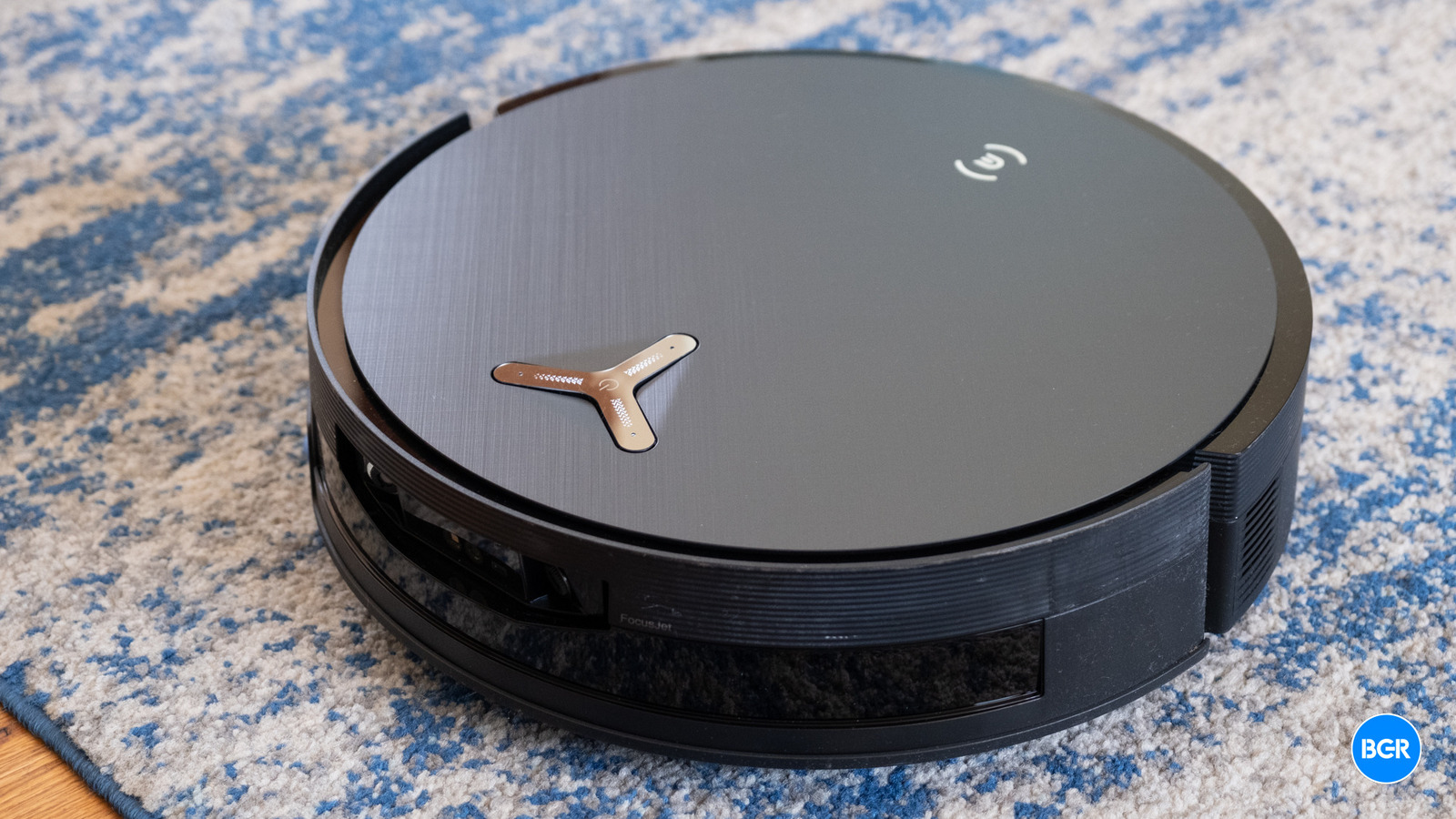
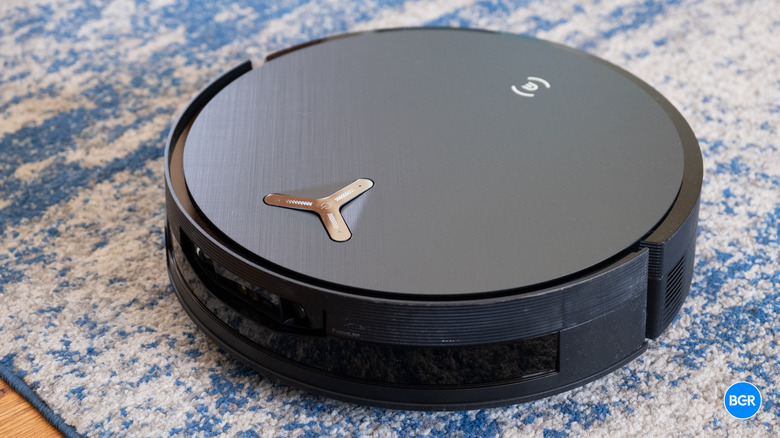
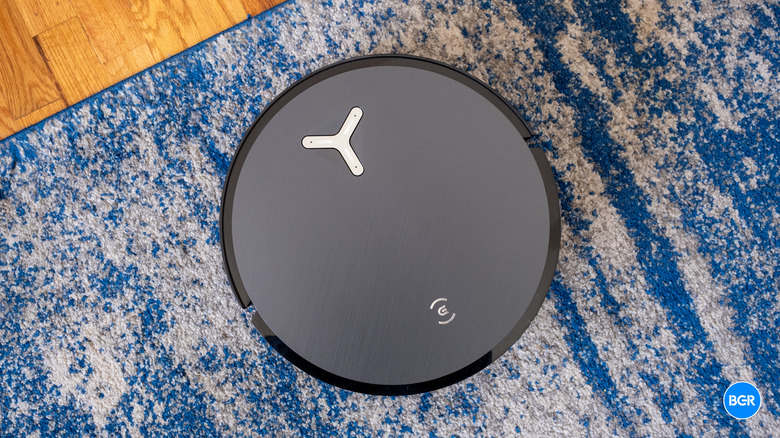
The design of the vacuum itself is fairly conventional, at least at first glance. The vacuum measures 13.9 by 13.9 inches across and 3.9 inches tall. Its height actually matters a fair bit –- slimmer vacuums can fit under furniture better, but they can’t hold as much debris or water. The X12 OmniCyclone is a little taller than some other robovacs and the same height as the X11 OmniCyclone, which I found sometimes accidentally wedged itself underneath furniture that was just too short. We’ll get into whether the X12 OmniCyclone does that too later.
On the front of the vacuum is a window for the sensors, and the vacuum uses LiDAR to navigate, without actually needing the little node that sticks out from the top. The company has used this tech for a while now, which, come to think of it, could well be why it struggles with furniture height. It does help make it look a little nicer, though.
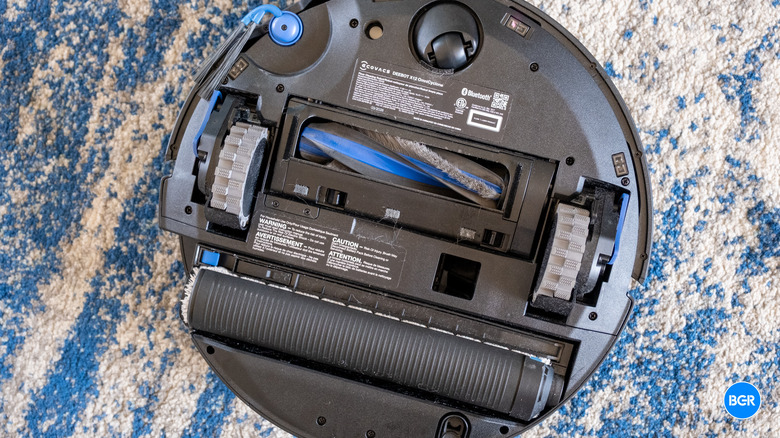
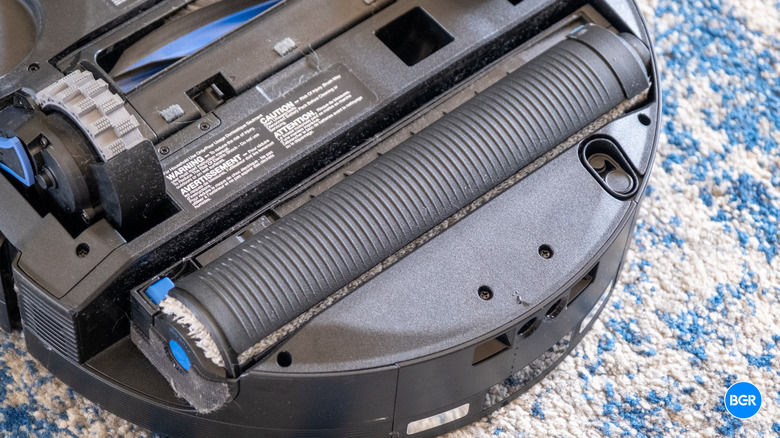
On the bottom, you’ll find the roller mop, along with the tech for what Ecovacs calls TruePass Adaptive 4-wheel-drive. Basically, the vacuum is built to have good traction, and it can cross reasonable-height thresholds, and even climb ledges up to 3cm or so. It can’t go up stairs, but if you have a raised or lowered section in your home, it may be able to navigate it without issue, depending on the height.
There’s another design change this year in the form of a new retractable “Mop Roller Smart Cover.” This covers the mop when the vacuum detects carpet, which may be helpful for vacuuming longer carpet. My home has hard floors, and the rugs I have are reasonably low pile, so I had no problem with the mop making my carpet wet on previous-generation models.
The vacuum looks fine, but it’s not “beautiful” or “sleek.” It’s a round robot vacuum. Of course, it’s not really a big deal that the vacuum has a boring plastic exterior –- when it’s not cleaning, it’s mostly hidden, making the dock’s design much more important.
Speaking of the dock, it also looks mostly the same as last year, which I don’t mind. That may partially be due to the fact that I have a reasonably hidden corner to put robot vacuums, so it’s not something I have to look at regularly. If I did, I don’t think I’d mind the X12 OmniCyclone’s dock. It is sizable, and it definitely looks like a gadget, but the materials are decently premium. It houses a bagless dustbin, which I really like -– it’s a touch more challenging to clean, but it avoids the need to buy bags every few months, and if you empty it above a bin and wash your hands, you can deal with the mess. I definitely prefer this approach to the disposable bag.
The dock also houses the water tank, dirty water tank, and two cleaning solution tanks. There’s one tank for the normal cleaning solution and one smaller tank for the high-performance solution. The X11 OmniCyclone has this too, and frankly, it was pretty hard to tell when the vacuum used which solution -– and it certainly didn’t provide a night-and-day difference in cleaning performance over the single-solution X10. Regardless, the two solutions are there, and you’ll have to buy them straight from Ecovacs when you need a refill.
One ongoing issue with the vacuum is knowing when to empty the dustbin. It seems as though the notifications it does give you are based on time spent vacuuming instead of using actual sensors. I have two young kids, including a two-year-old. My floors get dirty quicker than most, and an hour cleaning my floors is more likely to fill the dustbin than an hour cleaning someone else’s. On more than one occasion, I found that the vacuum was struggling to clean properly, only to realize that the dock had filled up completely, meaning the vacuum likely had trouble emptying its own dock to make room for more debris. I get around this with my own reminders, which are more regular than Ecovacs’. I don’t mind emptying a half-full dustbin more often if it means I can rely on the X12 OmniCyclone actually cleaning properly.
Setup and app
Christian de Looper/BGR
After you take the vacuum out of the box and physically set it up by plugging the dock in and turning the vacuum on, you’ll open up the app and sign in or create an account, then walk through the steps to add the vacuum to the app.
Then you’ll need to have the vacuum map out your home. This involves the vacuum essentially roaming around, discovering the doors and rooms, and building a digital version of your floor plan it can use to plan cleaning tasks. You’ll want to tidy your floors before you do this –- I even go to the extent of putting the dining room chairs up so the vacuum can create a map that’s as accurate as possible.
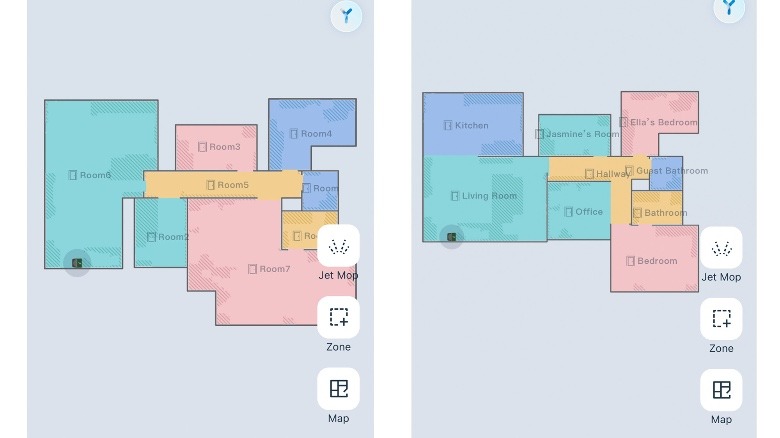
Still, as was the case with other recent Ecovacs models, the map wasn’t the best at first. It combined a few rooms into one, failed to recognize the difference between a hallway and one of the connecting rooms, and, because of its LiDAR setup, created a whole new room where a mirror was reflecting the room that it was in. I was able to fix all this in around ten minutes or so, and I suspect most will have a similar experience, but I also think that almost everyone will need to edit the map after the initial mapping process.
You can edit the map by combining multiple so-called rooms together, dividing a single room into two, and adding elements like walls and dividers. You can even add furniture to the floor plan if you want, though this doesn’t change much in terms of cleaning performance. The vacuum will know something is blocking its path when it maps out your home — it just might not know it’s a couch. The furniture icons are more for your eyes than the vacuum’s.
 Christian de Looper / BGR
I do wish Ecovacs would make it easier to move between models. It seems like it would be fairly easy to save a map to your account and transfer it to a new vacuum, but that’s not something you can do –- you’ll need to completely re-map if you upgrade to a new model.
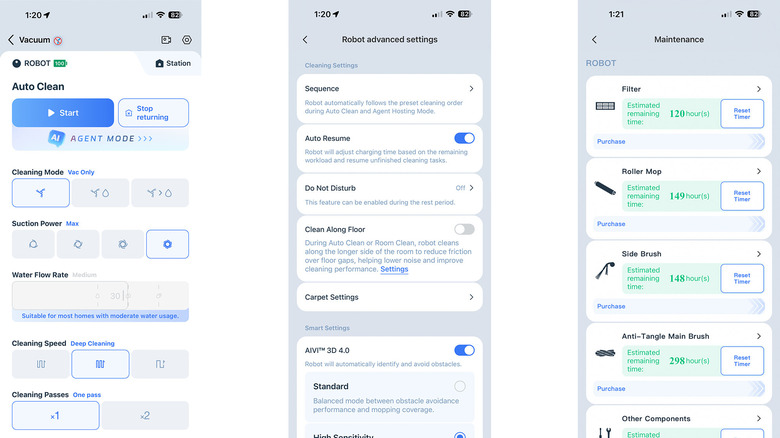
After the mapping process is complete, you’ll be able to use the app to initiate all sorts of tasks. You can set it to vacuum, mop, or vacuum then mop, and you can select the rooms you want it to clean or create single-use zones for one-time messes. It works perfectly fine, though the constant ads for new products get very annoying.
Thankfully, you can bypass these somewhat with Matter support. I was able to add the vacuum to Apple Home without issue, from which I was able to tell the vacuum to clean my whole home or an individual room. You’ll still need to use the app –- you can’t do things like map or change settings in Apple Home, and the app can provide helpful notifications like telling you when to replace the fresh water or empty the dirty water tank. But Matter support is very helpful for multi-person homes. My wife doesn’t want to manage robovac maintenance, and I don’t want to teach her how to use a new robovac app every time I review one. It’s a win-win.
As you might expect, the X12 also leans heavily into AI, though that was the case for the X11 too. I don’t necessarily find the AI features all that useful. I tend to prefer to manually set the vacuum to clean, but you might enjoy experimenting with it.
Cleaning performance
Christian de Looper/BGR
The X12 OmniCyclone boasts 22,000 Pa suction power, which is a pretty huge number, though these suction power numbers should always be taken with a grain of salt. Just as important as suction power is the tech the vacuum uses to sweep dust into the path of the suction in the first place, not to mention other helpful features like hair detanglers. There’s a lot that goes into vacuum performance, and after a certain point, suction power matters less and less. Along with the 22,000 Pa suction power, the vacuum has Ecovacs’ ZeroTangle 4.0 main brush, which is designed to direct hair straight into the suction path rather than letting it wrap around the bristles.
In my testing, it did a pretty good job at limiting the amount of hair that got tangled up in the brushes, though it wasn’t completely flawless. I’ve never used a robotic vacuum that can completely avoid hair tangles, but they have been getting better at limiting this issue in recent years.
Overall, the Ecovacs X12 OmniCyclone was very good at picking up dust, dirt, and other debris. It never missed any significant amount of dirt, and any smaller debris that it did miss was often picked up later. Unlike some other robot vacuums, the brush never swept dirt out of the path of the vacuum itself, so it was pretty good at getting everything without dispersing the mess.
I did run into one issue, though. The X12 OmniCyclone still struggled with low furniture, and like the X11 OmniCyclone before it, it still got stuck under the side table right next to the docking station every single time I sent it on a run in the living room. The fix for this is to set that side table as a no-go zone, but the app prevents you from adding a no-go zone that close to the docking station, which means that I’m out of luck and have to remember to put something under that side table whenever I vacuum so the vacuum doesn’t try to clean under it.
As mentioned, the X12 OmniCyclone has Ecovacs’ new FocusJet AI mopping system, which is designed to shoot water across the floor to pre-soak stains that are stuck onto the ground. That’s coupled with what was already a pretty capable mopping system. Like the X11, the X12 OmniCyclone has a roller mop pad that can extend to the side to reach edges.
I will say that despite the FocusJet mopping system, I didn’t find the X12 to be all that much better at mopping than the X11. That’s not necessarily a big issue. The X11 was already quite good at mopping, and the X12 is too. But if there are stains that are really stuck onto the floor, the FocusJet mopping system probably isn’t going to help much. It might help a little, but to really get stuck-on stains off, you’d have to leave the water on there for a while or apply a lot more pressure when scrubbing, which is something that the vacuum simply can’t do. Other, less challenging stains shouldn’t be a problem for the X12. Ecovacs’ example is a coffee stain. To be fair, I found that the X11 was already pretty good at cleaning up these kinds of stains, but the X12 certainly isn’t any worse.
Battery and maintenance
Christian de Looper/BGR
Ecovacs describes the battery built into the X12 OmniCyclone as “EV grade.” I’m not sure what that means in practice, but regardless, I never had an issue with the battery life.
Part of that has to do with the fast-charging system that first made an appearance on the X11 OmniCyclone. This kicks in when the vacuum returns to the dock to clean the mop pad and empty the dirty water tank –- something it would have to do regardless of battery life. During this three-minute process, Ecovacs says the vacuum can replenish 13% of its battery.
I did find that the X12 seemed to have worse battery life than the X11 before it. On a few occasions, the vacuum had to stop and recharge in the middle of a cleaning run. While I was running the X12 at maximum settings in deep clean mode, this isn’t something I experienced with the X11. For the most part, it doesn’t really matter. It will automatically continue cleaning when it’s charged up enough, but if you’re trying to get a quick clean in before guests arrive, it might be an issue.
Like many other modern robotic vacuum cleaners, the maintenance that you’ll have to perform is fairly limited. The vacuum will automatically empty its dust bin into the larger dust bin built into the dock. Plus, it will refill its clean water tank and empty its dirty water tank on its own. It will also wash and dry the mop pad after each mopping run, and if the area that it’s cleaning is big enough, it will wash the mop pad partway through a clean as well. This whole process only takes a few minutes.
Other maintenance isn’t especially time-consuming. If you have a pet or someone with long hair in the home, you will need to untangle it from the brushes every now and then -– sure, the X12 OmniCyclone has an anti-tangle system, but it’s not flawless. Apart from that, you’ll need to empty the dirty water, fill the clean water tank, and empty the dock’s dustbin. I found that I did all of these things every two weeks or so, but that’s with extremely regular floor cleaning, and I suspect most will need to perform these tasks less often.
Conclusions
The Ecovacs Deebot X12 OmniCyclone is an excellent robotic vacuum, but you probably won’t need to upgrade to it if you already have an X11. The X11 was already an excellent vacuum, and the new X12 doesn’t really add many features that will change much about how clean your floors are — unless, for example, you find that the mop pad regularly leaves your longer carpets feeling damp.
That said, if you have an older robotic vacuum or you’re buying your first one, the X12 is definitely worth considering. It is expensive, but it’s also very good at cleaning. Plus, it has helpful additional features, like Matter support.
The competition
There’s a great deal of competition in the robot vacuum space right now, and much of it is cheaper than the X12 OmniCyclone. If $1,500 sounds like a lot to you, then you’re not alone, and it’s probably worth spending less on a vacuum that’s almost as good. Ecovacs itself offers cheaper robotic vacuums that perform very well at a much lower price, like the Ecovacs Deebot X8 Pro Omni.
Should I buy the Ecovacs Deebot X12 OmniCyclone?
Yes, but only if you’re willing to spend a lot of money on a robotic vacuum.
