


Whether sitting in class, a meeting, or an interview, I’ve never been fond of taking notes, and I’m far from alone. Not only does the process of scribbling something down cause me to miss what was said immediately after, but I also suffer from awful handwriting, meaning that I can rarely read the notes anyway. Recording interviews has long been a solution, but transcribing interviews is another step (with extra cost) that can leave you with thousands of words of material to sift through, much of it irrelevant.
AI notetakers—massively popular at CES 2026—have emerged to offer a new way of making IRL notetaking easier and faster, putting the power of AI into (or at least adjacent to) a portable device that evokes the microcassette recorder of yesteryear. As with all things AI, the jury’s out on whether AI notetakers are actually useful or whether bypassing the intellectual rigor of writing down what people say is going to make us all even stupider, but at the very least I’ve found them to be a convenient way to capture the main points of a conversation—and helpful at keeping a record of discussions and meetings I might otherwise have promptly forgotten.
For this guide, I evaluated six AI notetaker products, using them in person and online for meetings, interviews, and conference calls. In addition to “daily life” use cases, I tested each one by recording the same prerecorded presentation to use as a control. (I won’t identify it by name to mitigate the risk of companies attempting to tune their AI models for that specific dialog.) Throughout all of this testing, I considered the accuracy of transcriptions (and translations, where appropriate), the quality of insights generated, overall speed, additional features, and value for the money.
How Do AI Notetakers Work?
The concept behind most AI notetakers is simple: Drop the device on the table between you and your interview subject or in earshot of your professor, and fire it up with the touch of a button. An onboard microphone records the discussion, transcribing all that is said on the fly, then beams it to a companion app on your smartphone. When the discussion is finished, the transcription is uploaded to the cloud for AI processing, where it is crunched and then turned into outline form, often featuring AI-selected quotes from the discussion, action items, and other takeaways designed to make sense out of lengthy, meandering meetings.
You don’t need a physical device to AI-ify your notes. Services like Bluedot and Otter.ai, ubiquitous on Zoom calls these days, can do the job from your phone or computer. On Pixel phones, Google’s Recorder app has been offering transcription and summarizations for several years, and Apple’s Voice Memos app can do the same if you have an iPhone with Apple Intelligence.
But physical gadgets are handy for complicated in-person situations where the speaker is far away or difficult to hear, or where you want to use your phone for something else besides its voice recorder function. Just drop a notetaker where it’s convenient, and the rest is taken care of. You don’t even need to stick around for the discussion—and some notetakers can even translate foreign languages. More advanced systems like the $1,600 Vibe Bot are also available for conference room settings, working as a sort of permanent stenographer for business meetings.
What’s the Deal With Subscription Plans?
Every AI notetaker pushes a paid subscription plan, and while all offer a stripped-down, no-cost tier, the utility of these plans varies greatly. Expect to pay $15 to $30 per month for unlimited AI insights on top of the hardware price.
-
Best Overall AI Notetaker

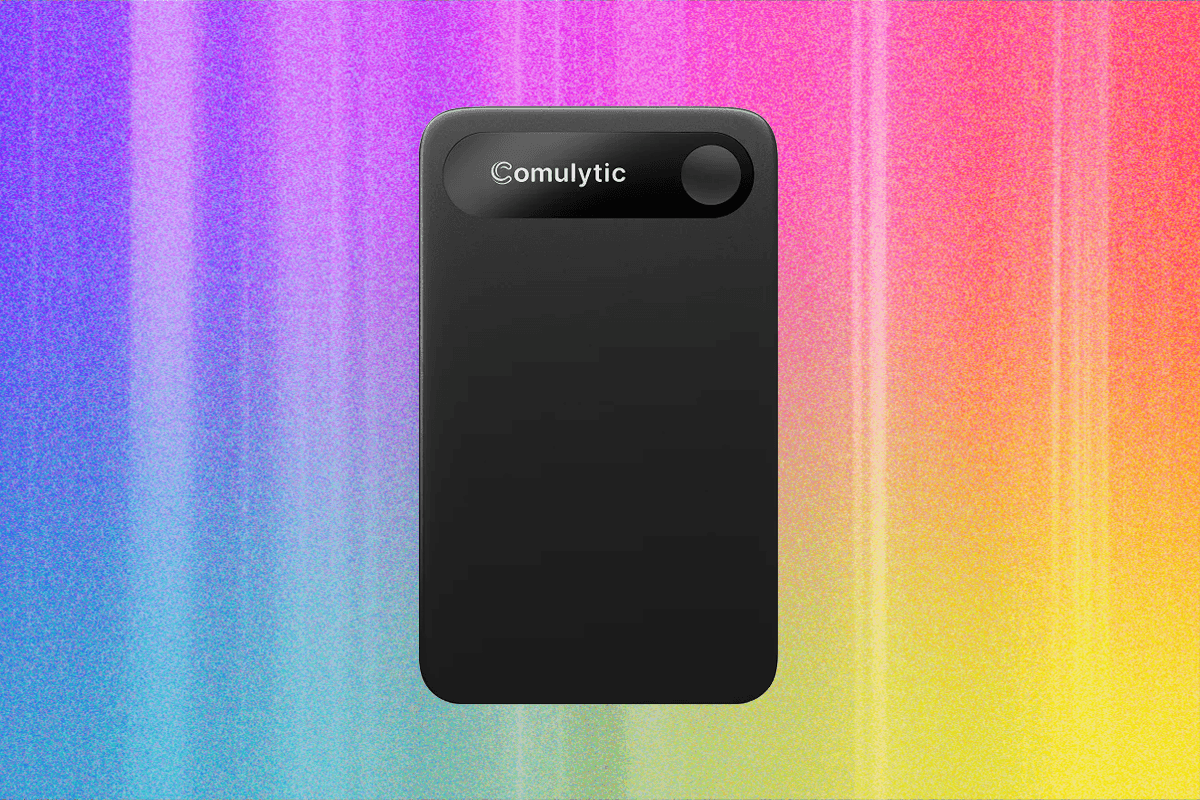
I had low expectations for the rather generic Comulytic Note Pro, but it surprised me as not only the most useful all-around notetaker on available but also the cheapest after you consider the cost of a premium subscription.
The slim device, at 28 grams, is small enough to fit in a wallet or attach unobtrusively with the included magnetic ring to the back of your handset (note: it requires a special USB dongle to charge). The 64 GB of storage space and a 45-hour battery life aren’t massive, but both should be more than enough to handle a full week of interviews without offloading or recharging, all processed through OpenAI’s GPT-5 and Google’s Gemini. The small LCD is helpful (and rare in this market), indicating when you’re recording and offering a recording duration. This makes it a lot more foolproof than other notetakers, which offer nothing more than a colored LED to tell you if it’s on.
The Note Pro supports 113 languages—sort of. It will record in a foreign tongue and offer a verbatim transcript in the native language, but insights and summaries are delivered in your language of choice. It’s not a full solution if you need a complete, direct translation, but if you just need the gist of a foreign news story or speech, Comulytic can uniquely handle it.
The proof is in the quality of the abstracts and insights provided. Of all the devices I tested, Comulytic’s summaries were the most insightful and least rambling (though better than its transcripts), effectively picking out the most relevant portions of interviews and pulling the best quotes from my conversations (perhaps too many at times). It was also the only device to correctly transcribe a punny product nickname mentioned in passing in one interview, indicating that a more sophisticated language model may be behind the scenes.
Comulytic isn’t perfect. It doesn’t transcribe in real time, it’s one of the slowest products at completing analyses, and I never got its “fast transfer” mode working, which meant all recordings had to be sent to my phone via a pokey Bluetooth connection, but these are minor dings against an otherwise solid solution. Best of all, for a limited time, the company includes a generous three months of premium service at no charge. Even if you don’t want to subscribe, the free plan, which offers three “deep dives” and 10 abstracts a month, is better than nothing.
Subscription costs $15 per month or $120 per year
-
Runner-Up

Open Vision Engineering
Pocket
The eponymous Pocket is quite a bit fatter and heavier (56 grams) than Comultyic, but it offers 128 GB of storage space (new models are down to 64 GB), a beefier battery with a whopping 96 hours of recording time, and the inclusion of Claude, Gemini, and GPT-5 models. And it can attach magnetically to your phone out of the box (assuming you have a MagSafe or Qi2 smartphone). A tiny switch on the side lets you shift into a mode that can record phone calls without being on speakerphone.
Pocket’s transcriptions and insights are very good and easy to understand, and they get completed quickly (in a bit more than half the time as Comulytic). But I did sometimes struggle with the lone button on the Pocket, as presses sometimes wouldn’t register or would cause me to tap it twice, which culminated in several two-second-long recordings being stored on the device. The tiny LED, which turns yellow when recording, is also tough to see.
Pocket’s free plan isn’t bad—offering unlimited transcriptions, summaries, and mind maps—but it limits history to 14 days and throttles exporting to one recording at a time. It didn’t help that all exported documents I made were corrupted if I opted to save them in Word format. The luxe Pocket Pro plan offers a lot of refinements (and unlimited history), but it’s costly considering what you get. Ultimately, it was the larger size of the Pocket hardware that made me less likely to reach for it over the Comulytic. When attached to my phone, it made my handset much too bulky.
Subscription costs $20 per month or $200 per year
