


- Amazon has overhauled its entire Kindle ereader line
- They have new materials and a repositioned power button
- There are also new accessories, some of which will turn heads
Yes, Amazon has an all-new line of 13th-generation Kindle ereaders. Sure, they’re marginally lighter and thinner than ever, with scant display upgrades, newly smooth, flush faces, and some with stamped aluminum unibodies that come in brilliant and quite trendy colors. But can we talk about buttons? Or, rather, one very specific one, the power/sleep button?
Every once in a while, a tech company makes me feel seen, or at least heard. I’ve been complaining for years about the placement of the Amazon Kindle e-reader’s power/sleep button. It sits on the bottom edge, where it’s too easy to trip when, say, I prop the Kindle Paperwhite up on a hard surface, or even on my lap or chest while reading.
When I asked Amazon’s Kindle hardware lead Kevin Keith about the issue in 2024, he told me there was a need to put the button as close to the ereader’s light guide as possible. I accepted that explanation, and grumpily moved on.
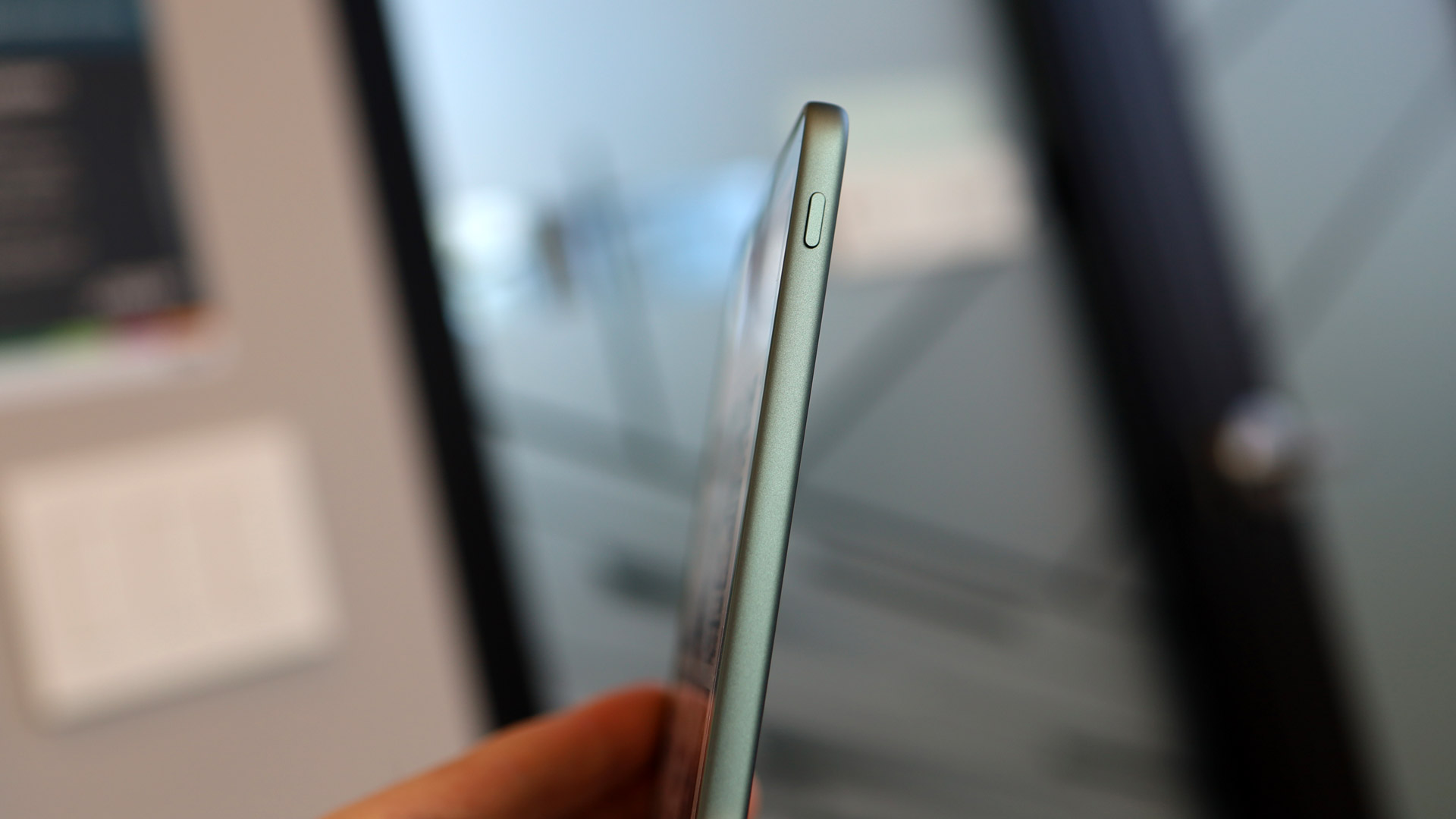
Turns out, though, that’s not the full story. As I held the Amazon Kindle Paperwhite 2026 edition in my hands, and marveled at the newly repositioned power button (it’s on the right side!) Amazon VP of Design Chris Green told me the reason for the original placement was to keep costs down.
Image 1 of 3
(Image credit: Lance Ulanoff / Future)
“The reason why it was at the bottom originally was because it’s the lowest-cost location. The main logic board was down at the bottom with the USB….We were trying our hardest to have the lowest carbon footprint, the lowest cost price, to push it all to the benefit of the customer,” said Green, who told me he joined Amazon 19 years ago on the day the original Kindle launched. Since then, Green has designed every Amazon hardware product, including these new Kindles.
After I wrote the piece linked above, airing my frustration about the original button placement, readers dragged me for making a mountain out of a molehill. I ended up thinking I was alone in my take. Turns out, Green has been fielding similar complaints for quite some time.
Image 1 of 5
(Image credit: Lance Ulanoff / Future)
“The amount of people that complained about it with [using it] on treadmills, while sitting, and putting it on the tummy, and all those kinds of things…the worst case is a treadmill, because if you don’t tap it, you stab it. And so people were stabbing this display, and the button was moving,” said Green.
Amazon’s attempts to address the issue without moving the button, by recessing it, shifting it slightly, failed. “The long and short of it is, it’s got to go on the side,” said Green.
Now every new Kindle in the refreshed lineup has a power/sleep button, on the right side, relatively close to the top edge of the device.
Those new ereaders are:
- Kindle e-reader 6-inch entry-level
- Kindle e-reader 6-inch Aluminum
- Kindle Paperwhite 7-inch
- Kindle Paperwhite Signature Edition 7-inch
- Kindle Kids
- Kindle Colorsoft
- Kindle Colorsoft Signature Edition
Across the line, Amazon introduces new colors (Graphite, Alpine Sky, Seaglass Green, Ube), thinner, lighter designs, and new materials. With the exception of the base model Kindle (140g, which is 13% lighter and 6.8mm thick), the lighter and thinner frames can usually be measured by a millimeter here and a gram or two there.
The Paperwhite Signature Edition and Colorsoft, notably, get accelerometers which will recognize if you’ve turned the reader upside down and will automatically rotate the text. The reader will also support reading in landscape mode, which might be kind of cool for graphic novels.
Image 1 of 3
(Image credit: Lance Ulanoff / Future)
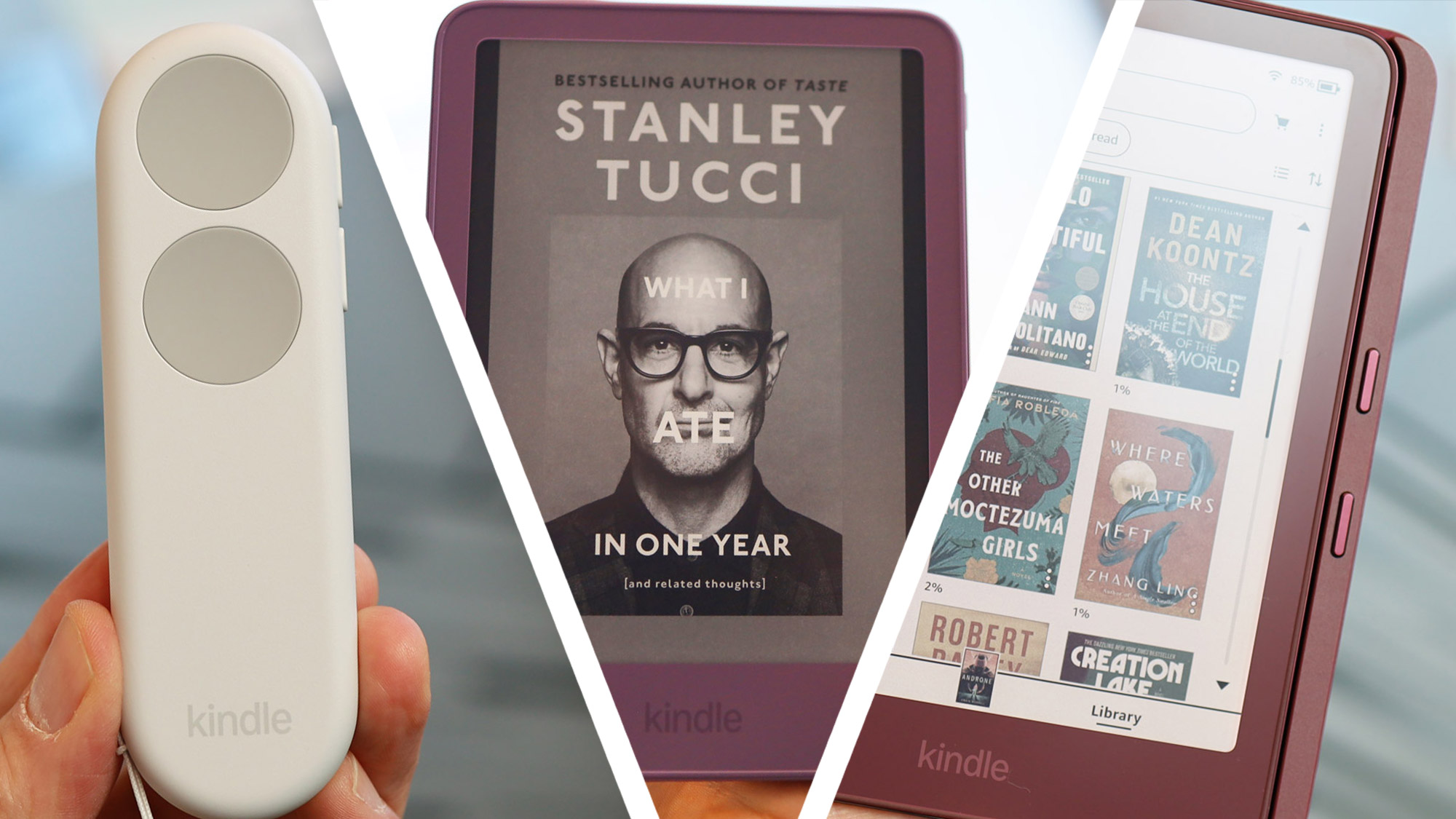
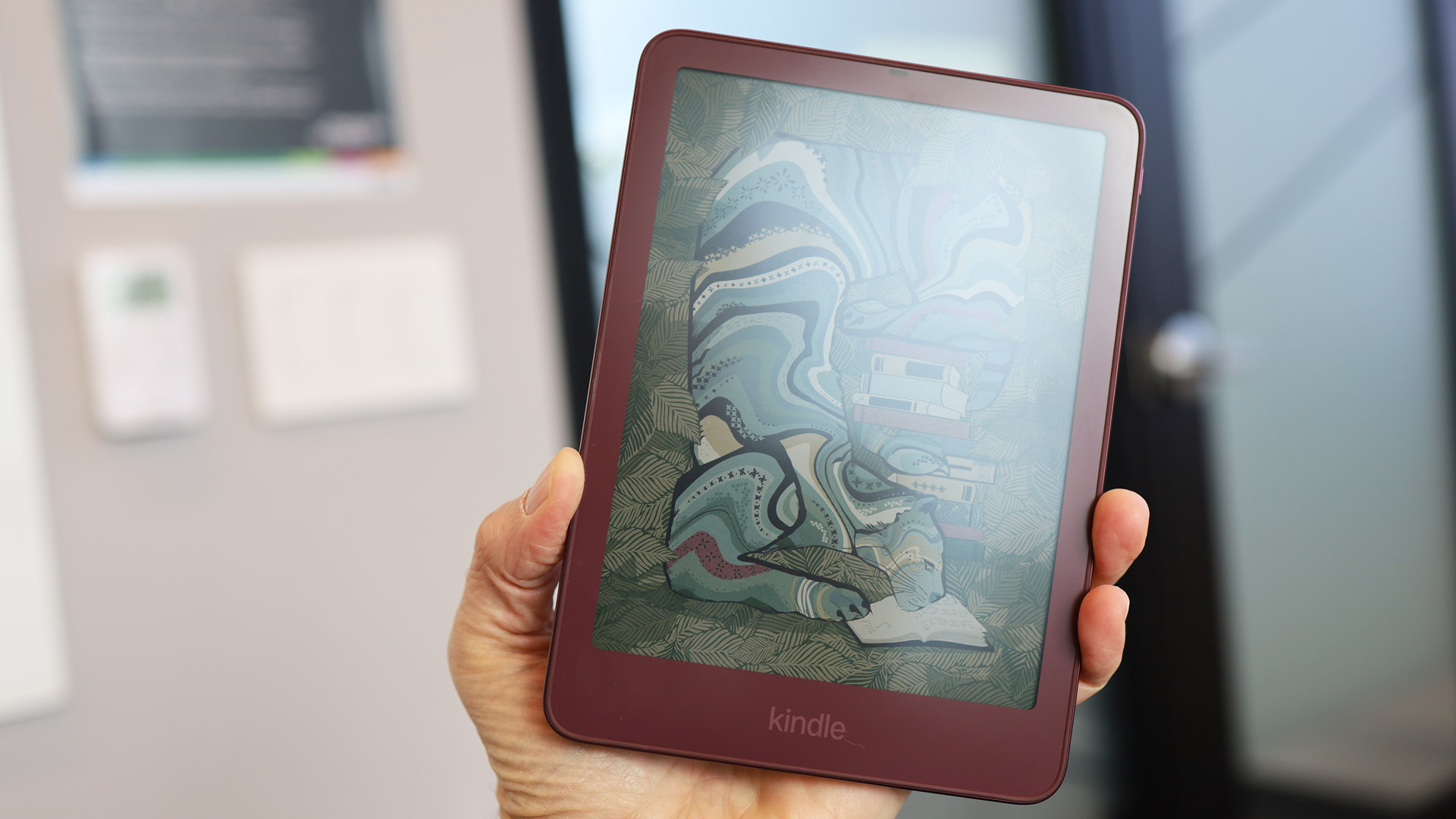
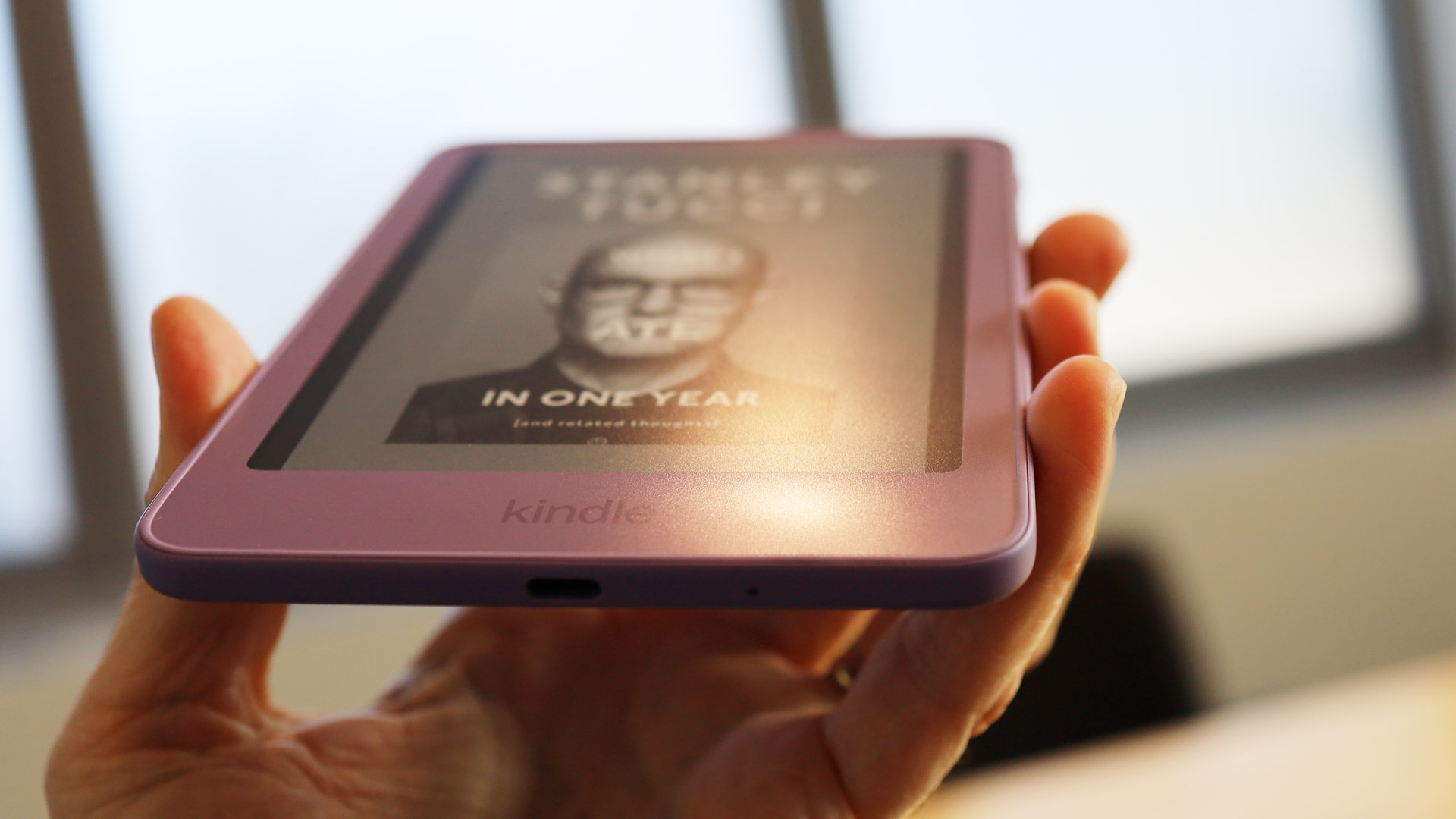
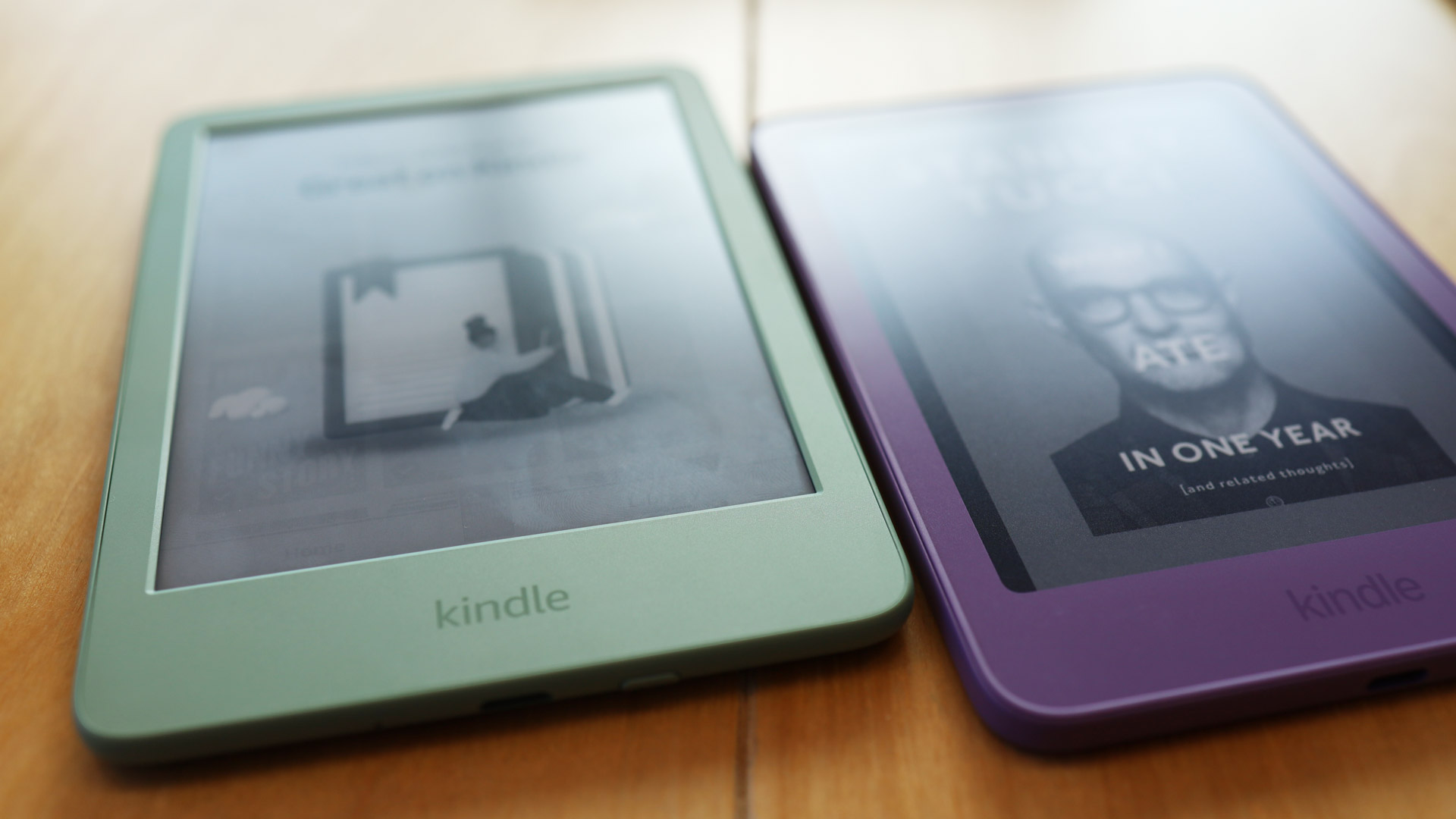
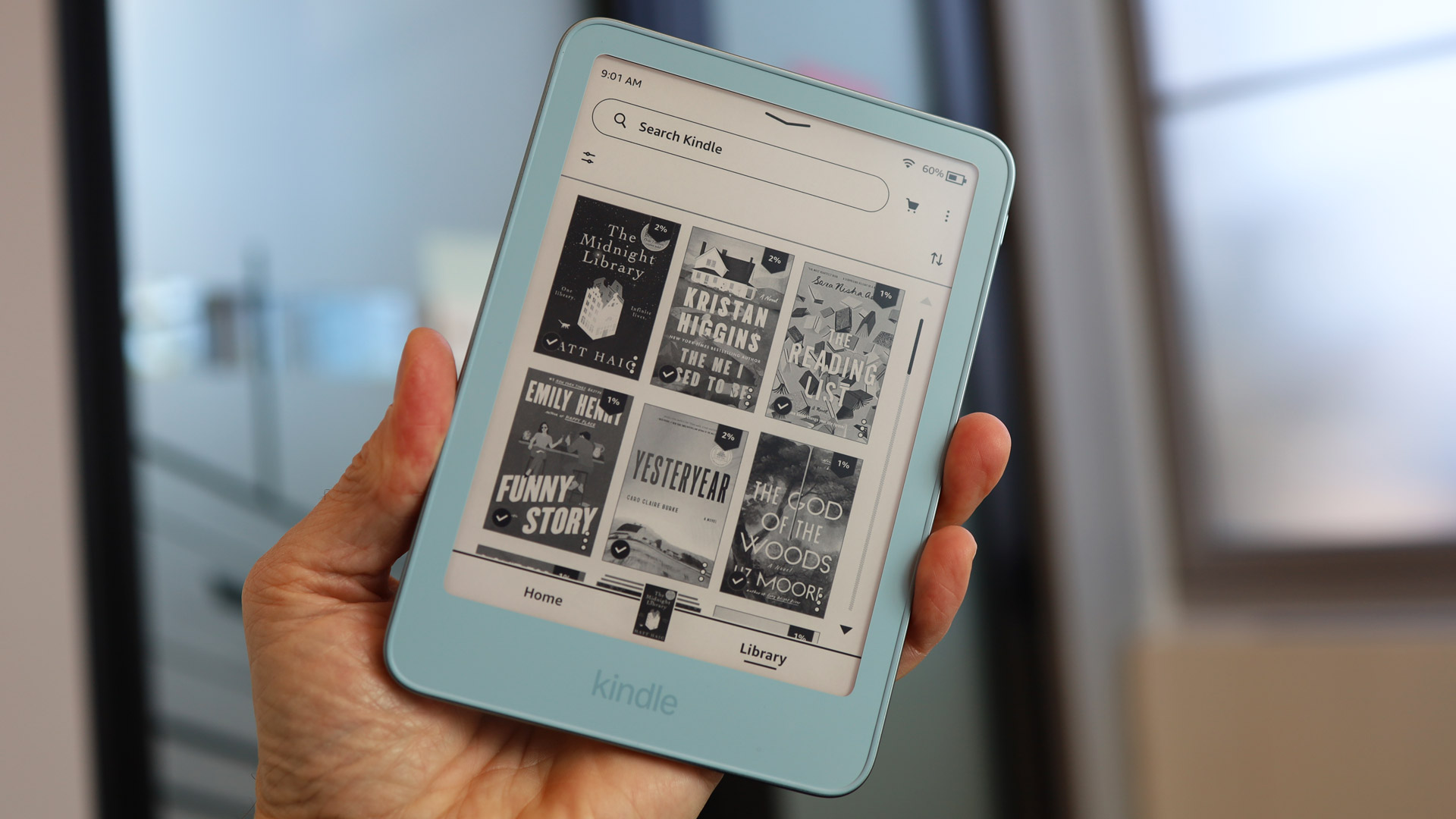
On the face of its most affordable Kindle, the 6-inch model, Amazon took away the raised bezel for a perfectly flat and smooth all-glass face, which matches the look of all the other Kindles in the new lineup. But Amazon has gone a step further by introducing matching colors to the bezels of the entire Kindle line. So a Ube (purple) Kindle’s color will wrap from the back all the way to the front and quite close to the E Ink display.
There was, it turns out, a reason these bezels surrounding the E Ink screen have traditionally been black. That light-absorbing color ensures that the front lights don’t bounce off a colored cover and obstruct or weirdly bedazzle your e-reader display.
The solution for this, Keith explained, was first used on Kindle Scribe devices.
“We invented a new edge color technology that does a black mask on the back and, in this case, Ube on the front, and so you’re able to get the absorption of the light, but you’re also able to get this beautiful color.”
Some of the new e-readers (both entry-level and Paperwhite) feature a chassis material not seen on a Kindle since the discontinued Kindle Oasis: aluminum.
It’s a rigid but strong and lightweight stamped aluminum unibody with a 6mm back and 1mm sides; however, it’s how Amazon is making it that’s interesting.
Where most tech companies are choosing to mill out their aluminum chassis with CNC machines, Green told me Amazon went with stamping. The benefit is that while CNC milling can take 30 minutes, the stamping process takes seconds.
Image 1 of 4
(Image credit: Lance Ulanoff / Future)
“It’s a three-stage process: when we start with a flat sheet, and you stamp it, and then you take this piece, and then you put it into a forge, and you press it… Then you do a light CNC to clean it up. Now what this means is you’re literally wasting 60% less material, and you’re also wasting 60% less energy,” explained Green.
Amazon hasn’t really upgraded the software or E Ink displays in any noticeable way, but when I asked Green about the E Ink partnership and how their close association impacts any design and development decisions, he said, “They are obviously a very important partner to us. We have looked at other types of technology. For these types of displays, they’re just the best, and we have to work with them.”
Green paused for a second and smiled almost wistfully, “Do I wish there were other people out there? Well, let’s just say they’re the only ones out there.”
Amazon, by the way, has gone a little wild with physical buttons in this round of Kindles, or rather with this round of Kindle accessories.
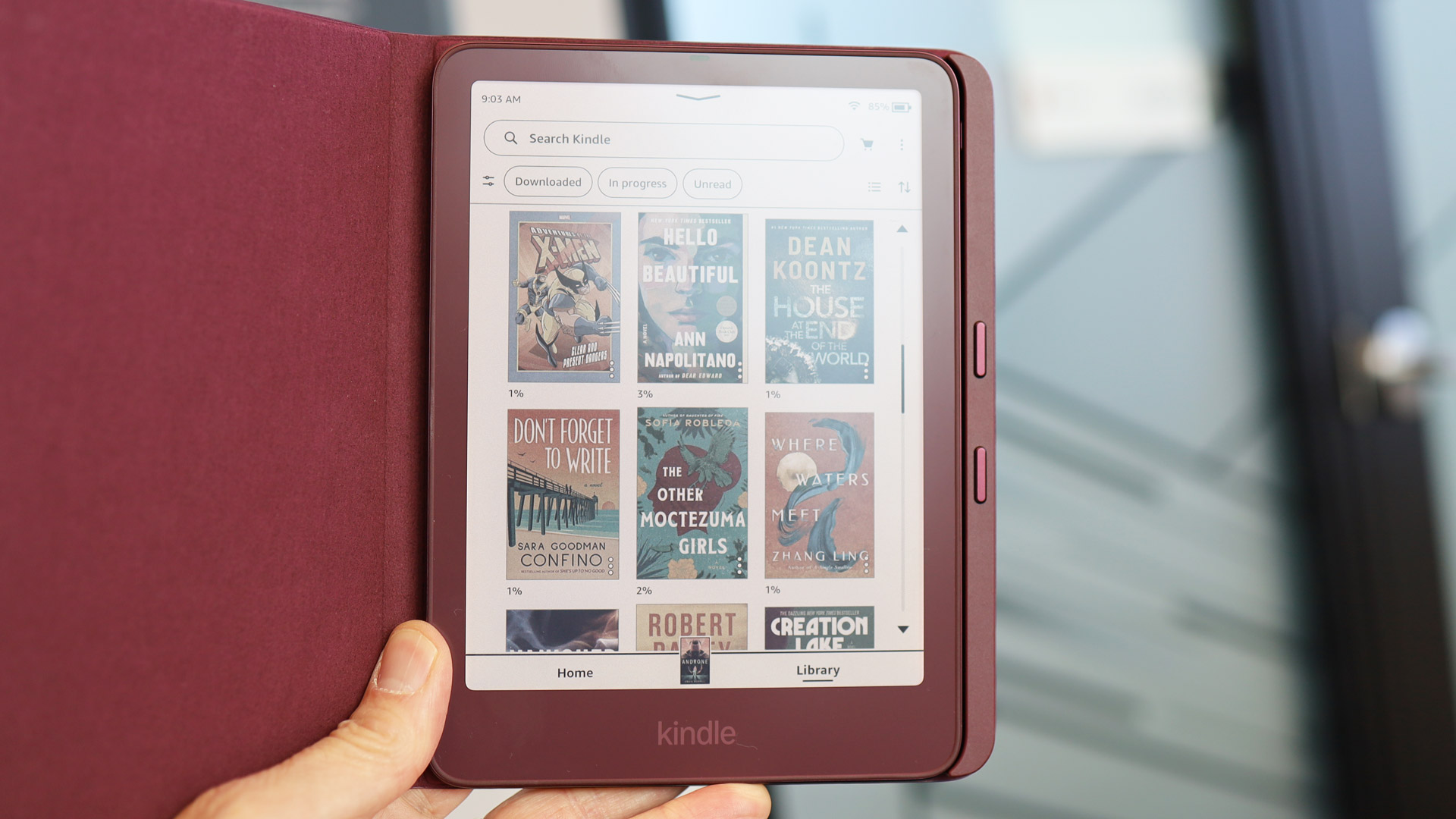
For the new aluminum-backed (and magnetically ready) Kindle Paperwhite Signature Edition and Colorsoft models, both of which feature a series of connector pins on the back, there’s now a cover that adds physical page-turn buttons: the Page-Turn Cover ($79.99).
That’s right, Amazon is going full-on retro with a perhaps unintentional nod to the original Kindles, which featured a lot of physical buttons.
Image 1 of 2
(Image credit: Lance Ulanoff / Future)
The Page-Turn Cover snaps onto the back of the Kindle, nestling a bar featuring forward and back page-turn buttons tightly against the right edge of the reader. The case also features a copy of the right-side power button on the outer edge of the case bar.
I gave the case a little test drive, rapidly pressing the forward and back buttons as I watched the Kindle Paperwhite Signature Edition quickly refresh and turn pages (it’s reportedly 30% faster).
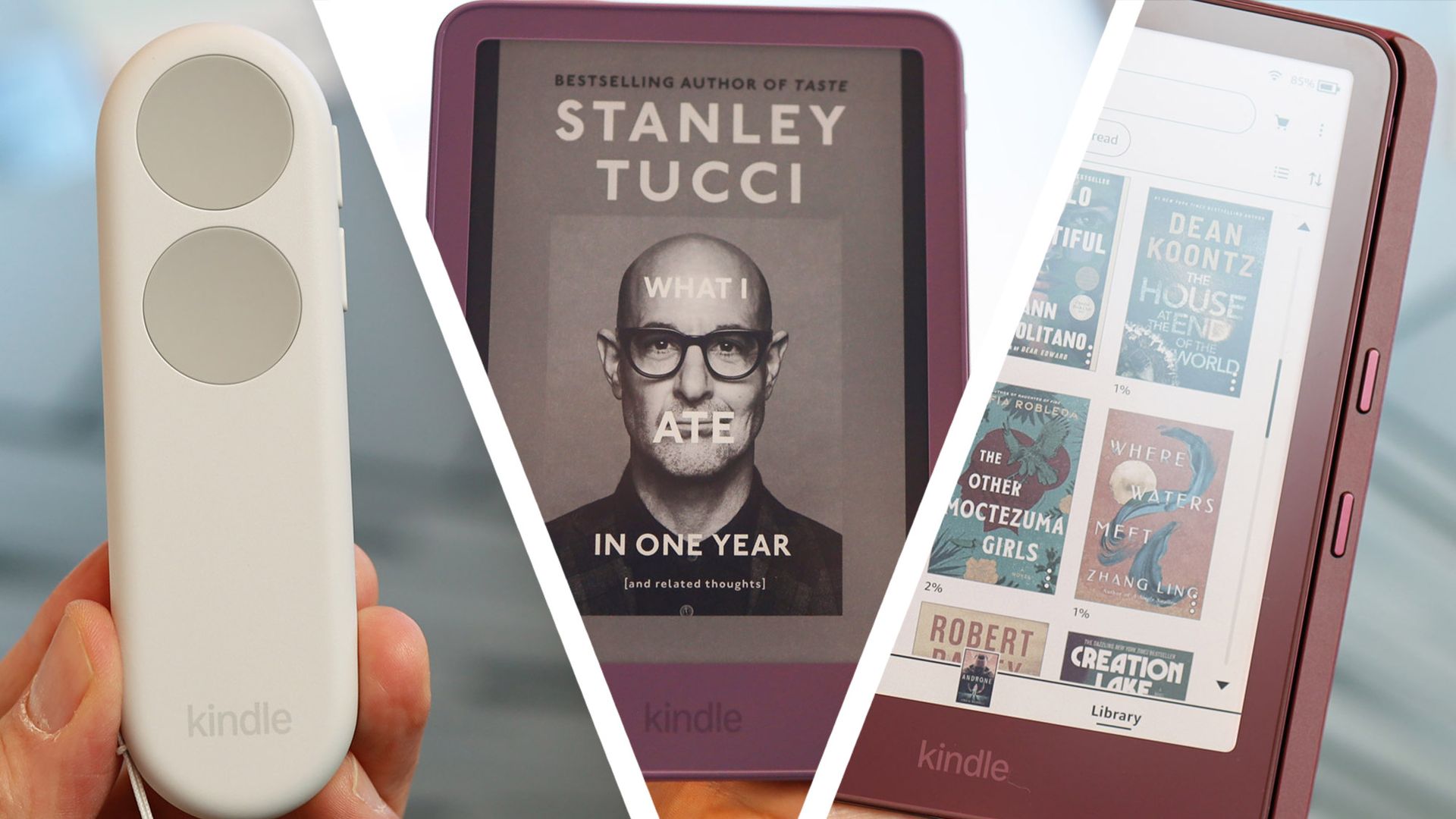
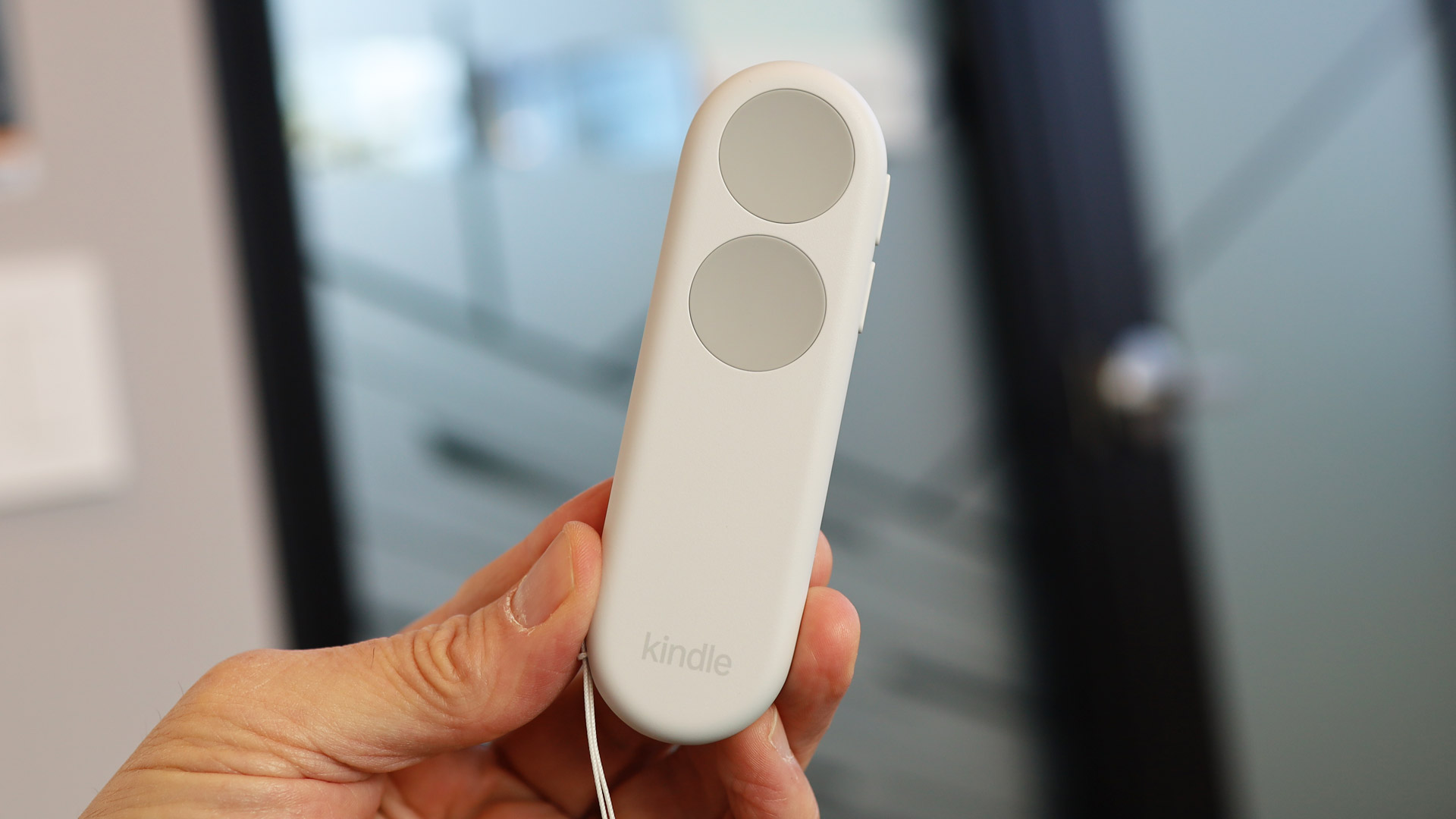
Amazon, though, isn’t done with buttons. There is yet another accessory, and it takes page turning off the Kindle and puts it in the palm of your hand. It’s called the Kindle Click ($34.99) and is, as the name implies, like a remote control for your Kindle.
Looking like a pale, undersized TV remote, it features two large, thumb-pressable buttons on the face for forward and back page turns. There are also two thinner and smaller buttons on the side for brightness control.
While I struggled to understand why anyone would need a remote for a device that’s often just 10 inches from their face, Keith explained the thinking behind this unusual accessory.
Image 1 of 4
(Image credit: Lance Ulanoff / Future)
With BookTok inspiring more and more young readers who are creating elaborate setups for reading (sometimes under the covers with special stands for the e-readers), Keith sees a need for gesture-free page turning and brightness control.
“My use case is I work out on an Elliptical, and I used to have to swipe, and now you can just turn the pages,” he said, adding that it could be a game changer if you’re flying on an airplane and just want to prop up the Kindle and sit back and casually turn pages by pressing the remote. If I start using it while reading on my Kindle, I’m sure to fall asleep reading that much faster; after all, raising my hand to swipe pages is usually all that’s keeping me awake.
The 6-inch Kindles, in Ube and Graphite, arrive today (October 1) and are still $149 / £149.99 / AU$279 for the 16GB model. “We really were trying to bring innovation to the lineup and be able to absorb as much of the memory costs as we could to be able to keep our prices affordable,” said Keith. The new aluminum chassis Kindle, in Alpine Sky and Seaglass Green, starts with 32GB of storage for $189.99 / £169.99 / AU$299.
The updated 7-inch Kindle Paperwhite (starting at $199.99 / £199.99 / AU$369), Kindle Paperwhite Signature Edition ($249.99 / £229.99 / AU$399), and the 32GB Kindle Colorsoft, which starts at $289.99 / £259.99 / AU$449 ($319.99 / £289.99 / AU$499for the 32GB aluminum Signature Edition), arrive October 28.

Follow TechRadar on Google News and add us as a preferred source to get our expert news, reviews, and opinion in your feeds.