


From wedding speeches to music videos, from DIY tutorials to movie clips, from celebrity interviews to remote wilderness adventures, it’s all on YouTube. Per YouTube’s official figures, more than 20 million videos are uploaded every day to the platform.
Over the years, YouTube has added a bunch of extra features to improve the viewing experience for its users, but you can enhance it even further with some well-chosen browser extensions. No matter how you use YouTube, there should be something that you can benefit from here.
We’ve focused on extensions for Google Chrome here, which should also work on Microsoft Edge and any other browser based on Chromium (including Opera and Vivaldi). We’re also going to steer clear of extensions based primarily around blocking ads, in the spirit of supporting content creators on YouTube.
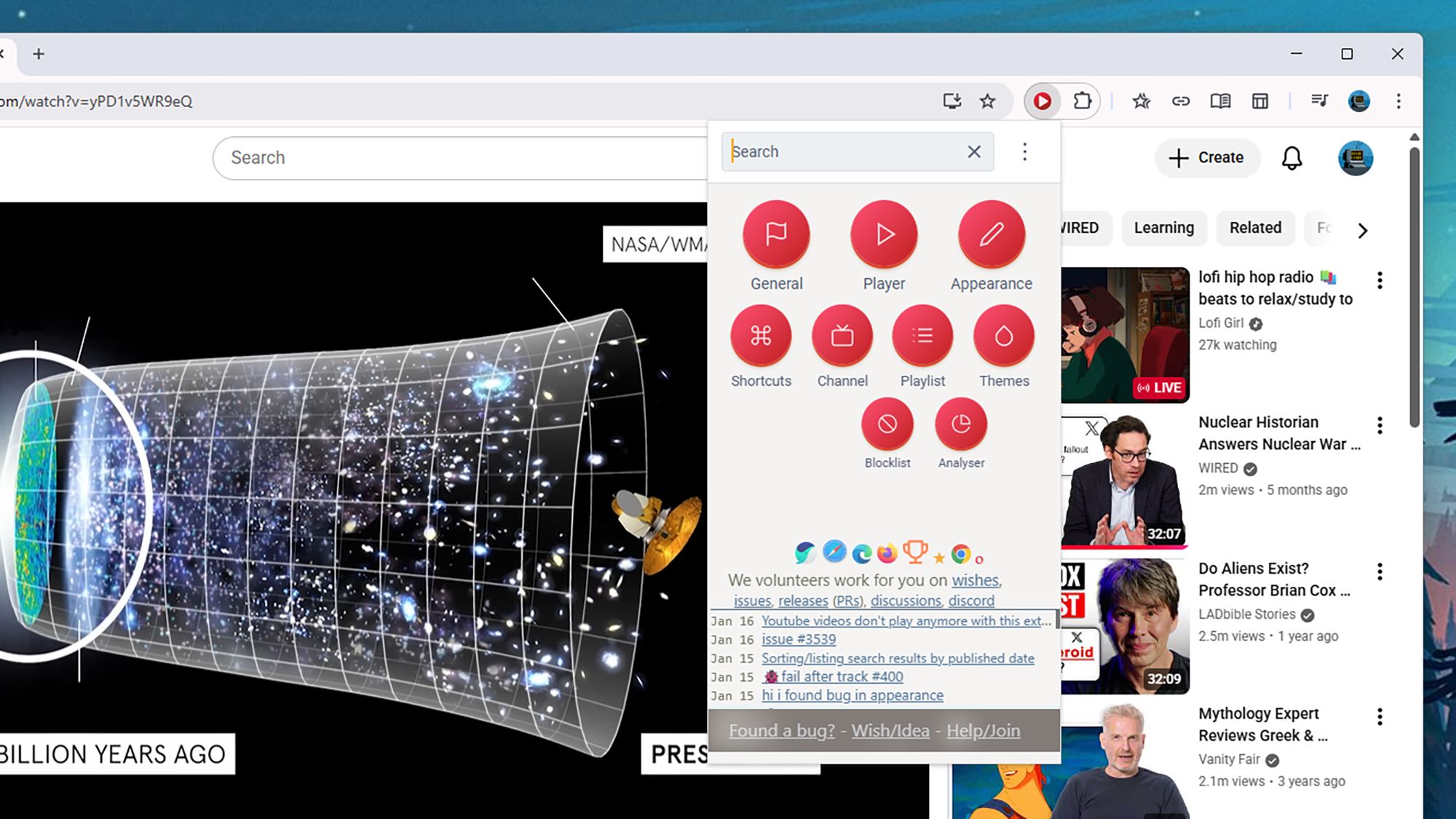
Improve YouTube

Improve YouTube delivers a host of features.
Courtesy of David Nield
Improve YouTube is one of the most comprehensive and longest-running YouTube extensions, and it brings with it a host of features. For a start, you can use it to change the look of the YouTube site in a variety of ways: Hide the sidebar or video thumbnails for a cleaner look, for example, or change the color of the progress bar and other elements.
Other tweaks you can apply include new tabs for search results (so you can find new videos without losing your place in the current one), the option to hide YouTube Shorts, and a reverse option for your playlists. You can also have videos pause when you switch tabs, and use the extension to set up custom keyboard shortcuts. There’s a lot here.
Enhancer for YouTube

Enhancer for YouTube includes a variety of playback modes.
Courtesy of David Nield
This is another extension with a lot of strings to its bow. Enhancer for YouTube gives you quick and easy access to playback speed, quality, and volume, and more granular control over videos than the built-in YouTube options. The extension can also transform the look of YouTube with custom themes, like a bespoke dark mode look that offers dozens of variations.
You’re able to show and hide all kinds of on-screen furniture, and there are pop-up and mini players that you can customize. You can even also set up your own keyboard shortcuts for easier YouTube control. Everything is managed through a busy console of controls that includes space to load in your own custom code if you want to take the tinkering further.
PocketTube

PocketTube gives you better options for organizing your videos.
Courtesy of David Nield
PocketTube is all about your YouTube subscriptions. By default, the way that YouTube handles the channels you’re subscribed to is a little rudimentary. But PocketTube lets you create groups and subgroups for your subscriptions, and even give them custom icons. You’ve also got auto-generated playlists to handle all the videos in each group.
PocketTube is not only very useful, but also neatly designed, too, fitting into the YouTube experience seamlessly—if you didn’t know otherwise, you wouldn’t think there was an extension involved. There’s lots more to explore, including a Deck mode that arranges YouTube in columns and extra filtering and sorting options for your video lists.
Turn Off the Lights

Dim the area surrounding your video.
Courtesy of David Nield
Turn Off the Lights gives you a way of transforming the YouTube viewing experience in your browser. It dims the area around the video that’s currently playing, so you’re not distracted by comments, recommended videos, or anything else on screen. You really need to give the extension a try to understand how much of a difference it can make.
There are more customization options than you might expect, too, because you’re able to change the opacity of the dimming and the color of the darker layer, and add soft glowing effects around the video you’re watching. There are some useful extras, such as video filters and an option to change the audio volume with the mouse scroll wheel.
DeArrow

DeArrow relies on user-submitted titles and thumbnails.
Courtesy of David Nield
YouTube extensions don’t have to pack in lots and lots of features to be worthwhile: DeArrow simply concentrates on improving the titles and the thumbnails of the videos you see on the platform. These two key elements of videos, so often manipulated to be sensational or baiting, are instead crowdsourced by DeArrow users to be more informative.
It’s an interesting experiment and highlights just how much titles and thumbnails are tweaked to game the YouTube algorithm. If there are no crowdsourced suggestions for the videos you’re watching, you can default to random thumbnails and titles with emoji removed. You can also contribute title and thumbnail suggestions of your own.
